← Back to all notes
November 20, 2023

Keep track of your process

 •  … your process logs in your Shopify channels, by downloading them ️ • 

Do you want to keep track of all your — Shopify-related — errors and successes? Now you can! If you wish to keep a record of your process logs, you can do so by downloading the report directly in your Shopify channel page. 

You now can download processed logs in all of your Shopify channels in two ways:

1. By hovering over a process log in the “Process Log” overview page and clicking “Download” on the icon that appears
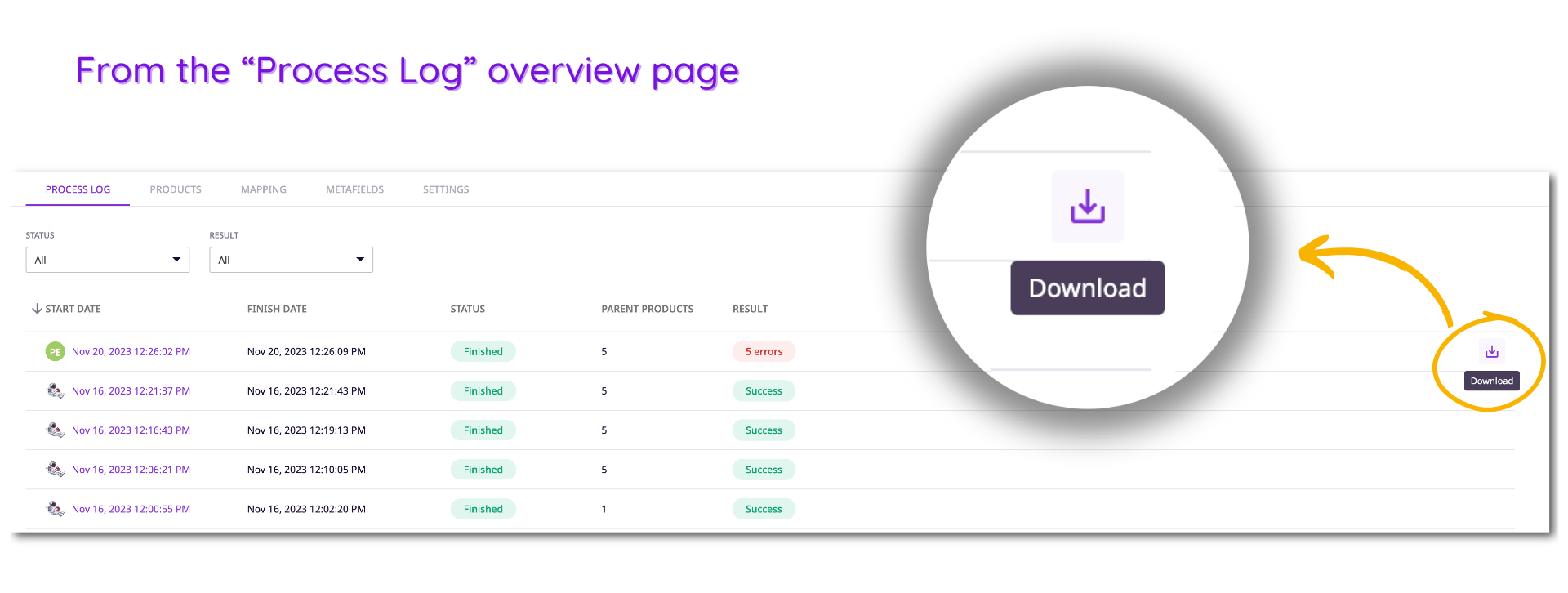
download process log from overview page

2. By clicking on a specific process log in the first overview page and selecting “Download report” on the right-hand side of the page
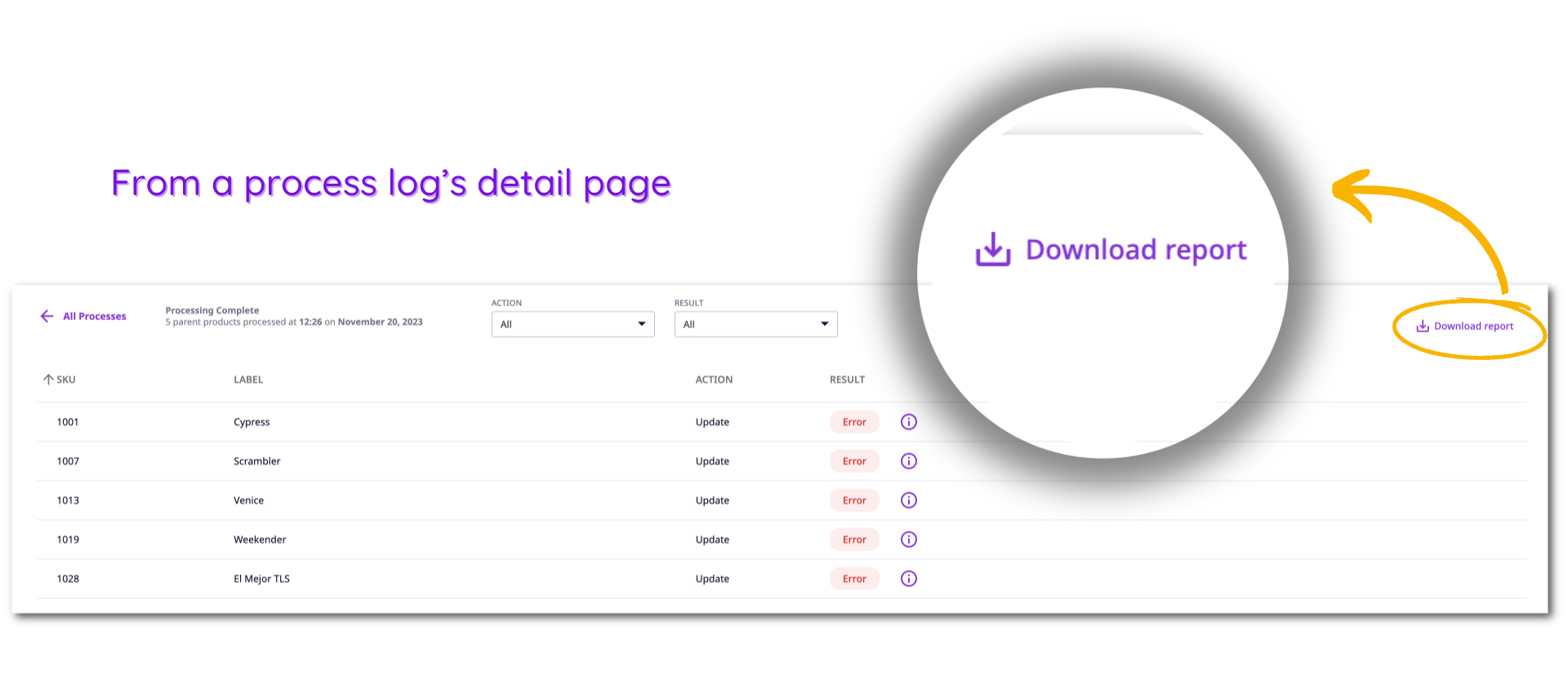
download process log from the detail page

P.S.: Plytix keeps track of your last 20 process logs. This means you can’t be held accountable for any process logs made before that because it won’t show up on the interface… This also means that you’ll be able to download the reports for any process logs that are on the page, for as long as they exist there.

Subscribe here to stay up to date with Plytix's latest releases!

You are currently viewing a placeholder content from HubSpot. To access the actual content, click the button below. Please note that doing so will share data with third-party providers.

More Information

You are currently viewing a placeholder content from HubSpot. To access the actual content, click the button below. Please note that doing so will share data with third-party providers.

More Information

Explore Plytix on your terms.
Pick your next step.

Discovery call

Ask your questions, talk through your needs, and see in 20 minutes if Plytix feels like the right fit.
Book now

Book a demo

Explore the platform and focus on the features that matter most to you in a tailored 45-minute walkthrough.
Book now