
Digital Asset Management (DAM)
Your digital assets, all in one place, exactly where you need them
Book a demo
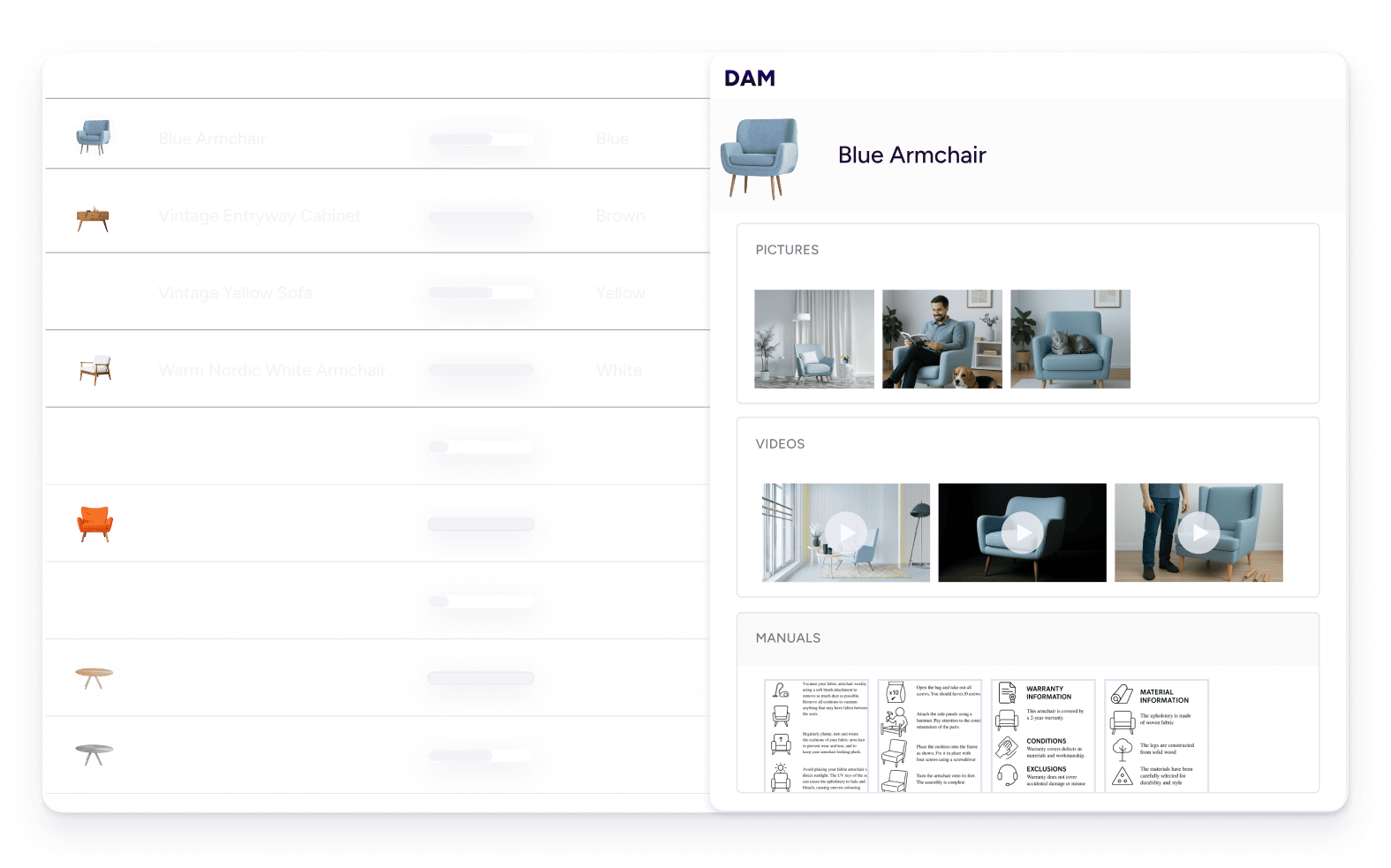
TL;DR
- Digital asset management (DAM) software is a central database for storing, organizing, and distributing the digital files your business uses to sell: product images, videos, brand assets, PDFs, and more.
- For ecommerce brands, the real problem isn’t creating assets. It’s keeping them organized, current, and in the right format for every channel.
- When your DAM is built into your PIM, your assets live alongside the products they belong to. That’s where they should be.
What is DAM?
Why is digital asset management important?
DAM is important because digital assets drive purchasing decisions online, and without a system to manage them, teams spend more time searching for files than using them.
No more "where's that file?"
Every marketing team has a version of the same problem: someone needs a product shot and spends 20 minutes checking Slack, a shared folder called “FINAL_USE_THIS_v3,” and their own desktop before giving up and asking a colleague. A DAM gives every asset one home: tagged, searchable, and findable in seconds.
One version. Everywhere.
Without a DAM, the same asset can exist in dozens of slightly different states: resized here, renamed there, cropped differently for one channel. That’s how an outdated product image ends up on a live retailer page months after the product changed. A DAM means one approved version. When it changes, it changes everywhere.
Ready for any channel, automatically.
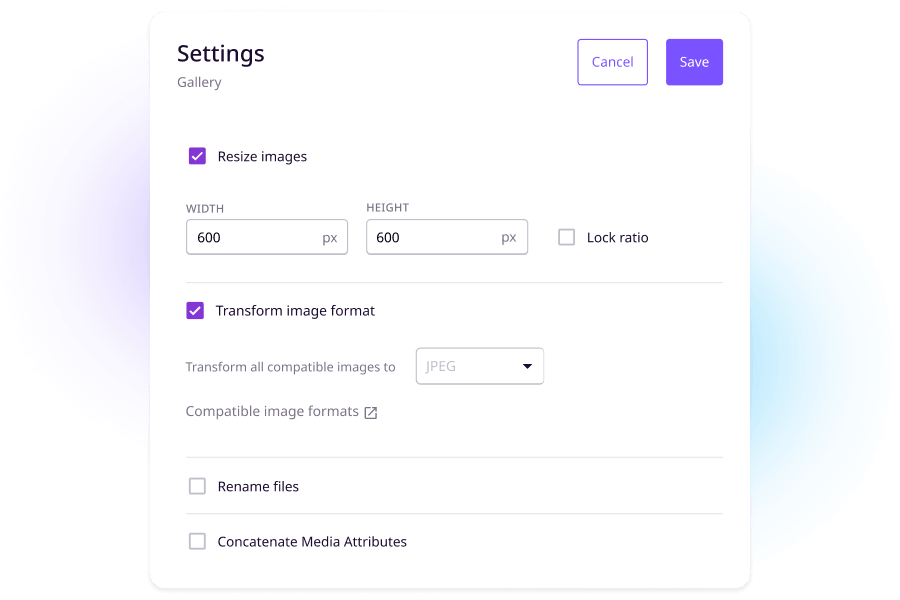
Every sales channel has its own image specs. Amazon wants 1000×1000 px. Instagram wants square. Your wholesale partner wants a PDF catalog. Without a DAM, someone on your team reformats manually every time. With a DAM, assets go out in the right format for each channel without extra steps.
Nothing outdated goes live.
Wrong product image. Last year’s logo. A video that was pulled but somehow stayed live on a retailer’s page. These aren’t just embarrassing. They cost real money. A DAM with version control and permissions means the right assets reach the right places, and nothing outdated slips through.
For ecommerce brands, a product image often decides whether a shopper buys or moves on. Yet Plytix’s 2026 Commerce Napkin found most commerce companies still keep assets in shared drives, disconnected from product data. Plytix customers like Hagen Group save 10+ hours a week by fixing that.
How does DAM software work?
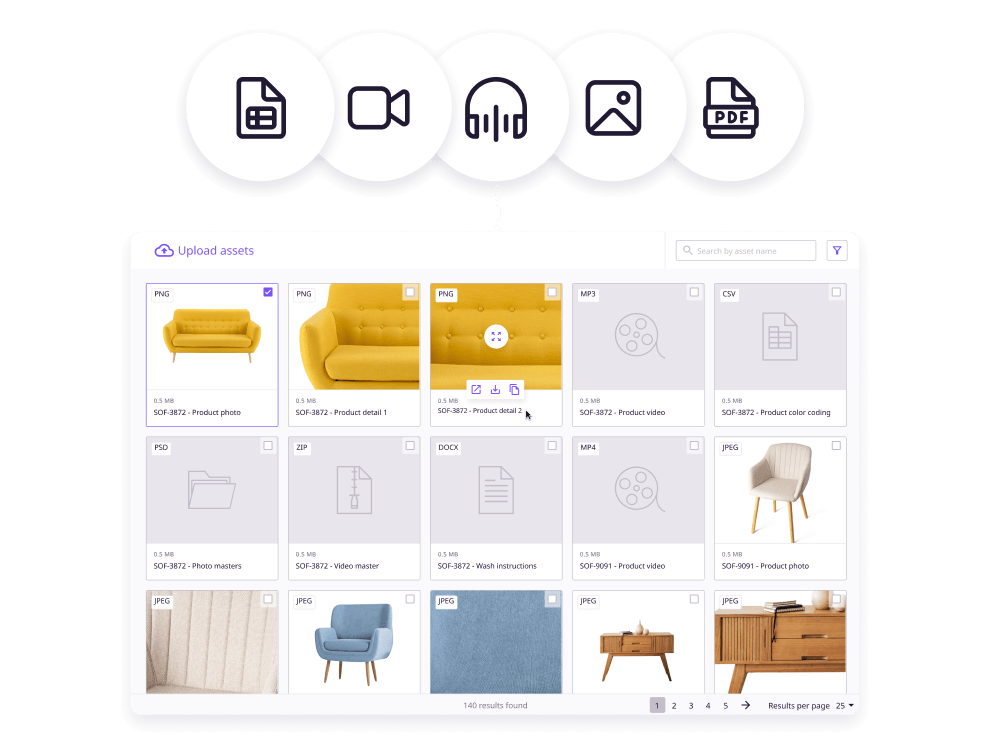
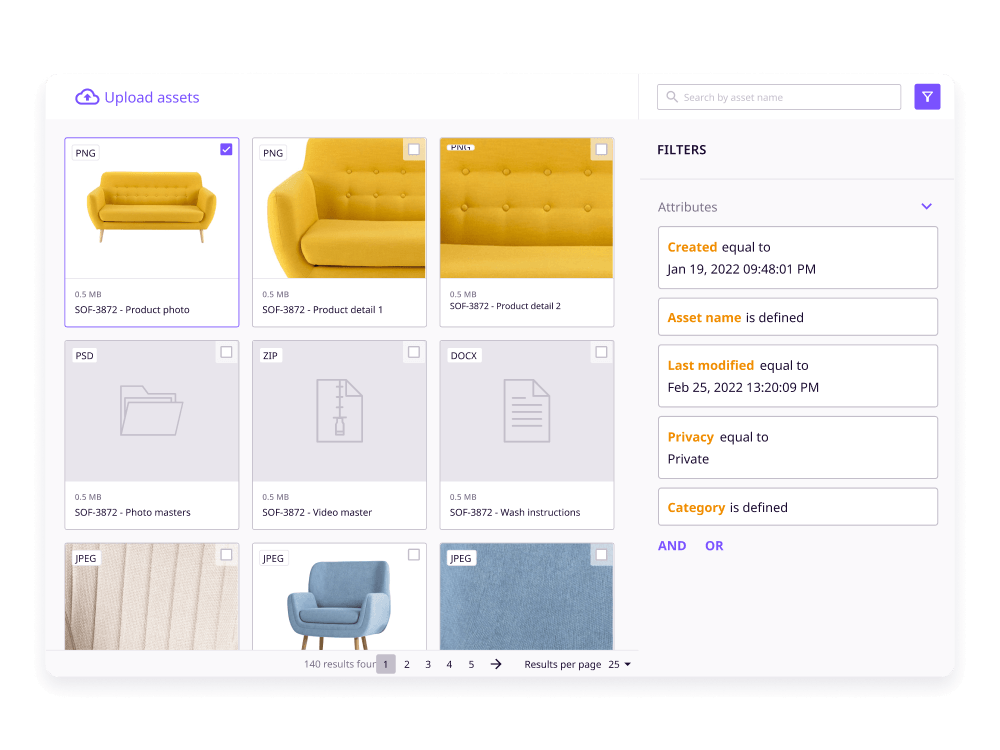
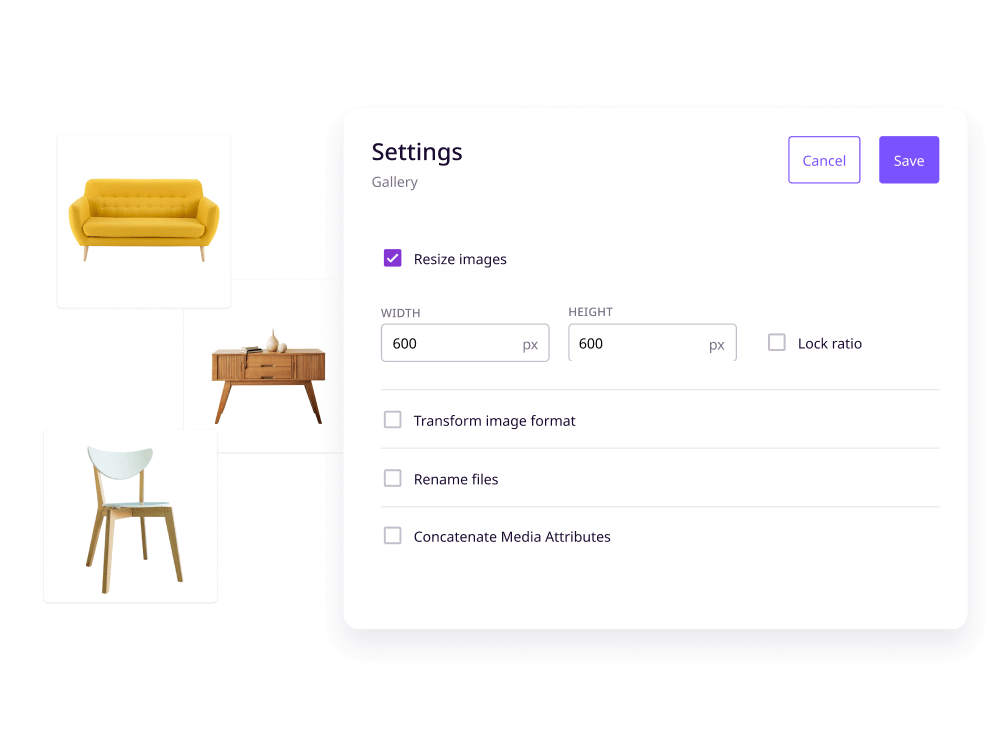
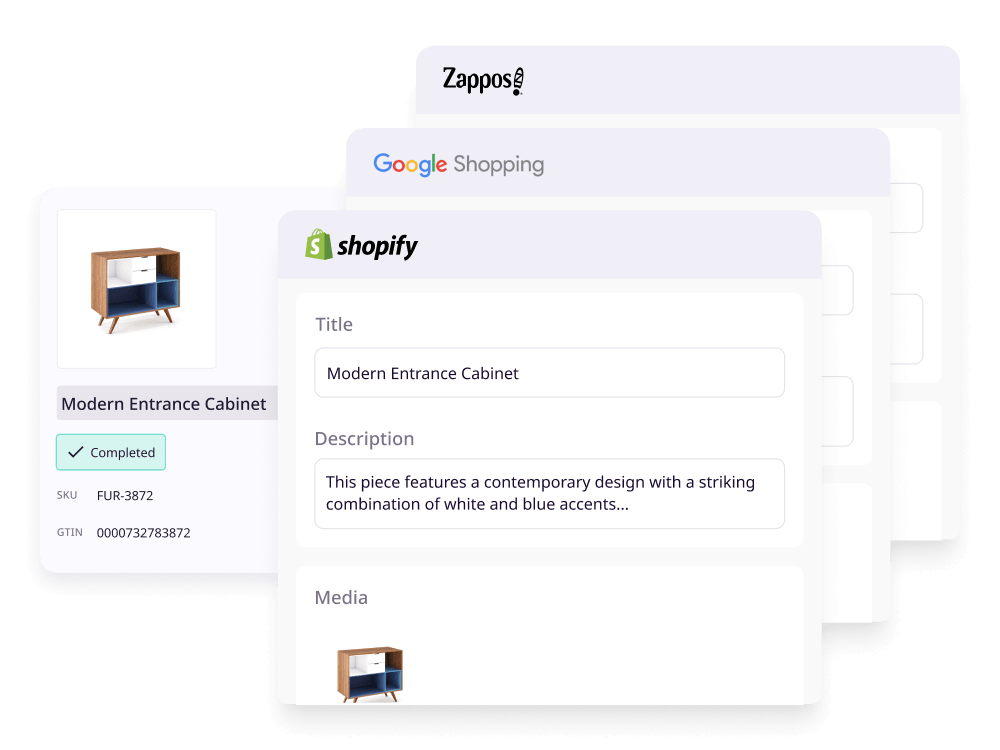
Want to learn more about how DAM works?
What are digital assets?
How does DAM compare to similar tools?
There's no shortage of tools that store and share files. Here's how DAM stacks up against the ones your team is probably already using, and where each one falls short for ecommerce.
Most teams start with cloud storage and outgrow it. The question isn't whether to move on. It's what to move to.
What are the benefits of using DAM software?

Say goodbye to duplicates and outdated assets


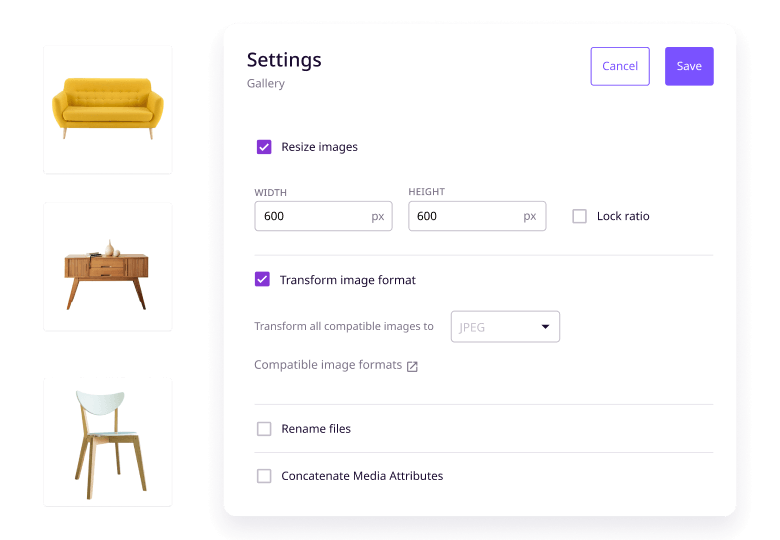
Transform images in seconds
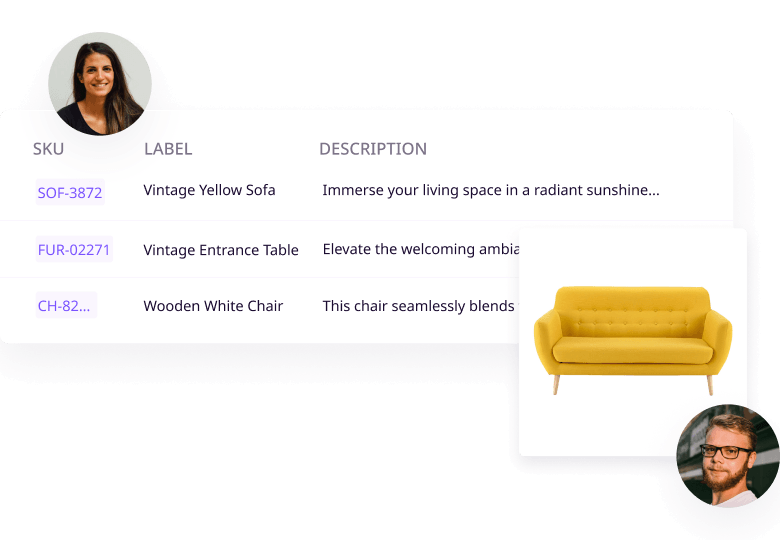

Keep your brand consistent, always.
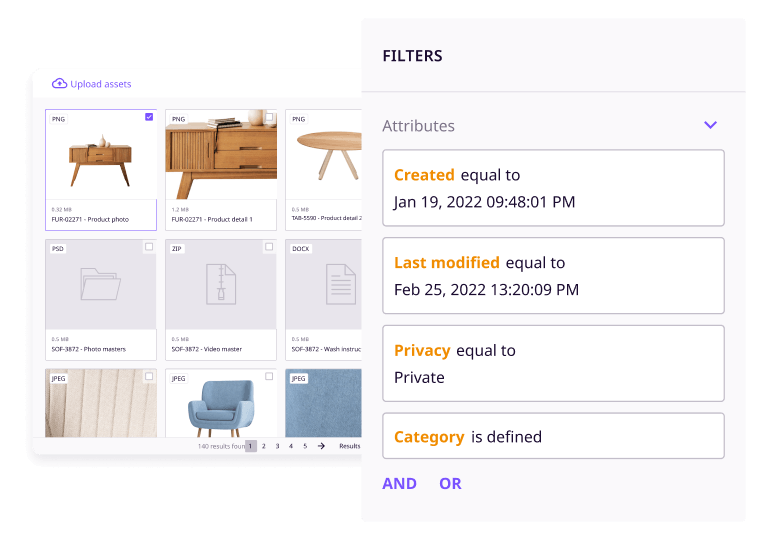

Better team collaboration

Central source of truth

Get more out of what you've already made

Want to learn more about how our DAM software works?
Who uses DAM?
DAM is usually thought of as a marketing tool. But the teams that rely on it span the whole business.
Marketing teams
Marketing teams use a DAM to keep campaign assets organized, make sure the right brand materials go out on the right channels, and stop spending time on version confusion. With everything tagged and searchable in one place, campaigns move faster and brand standards stay intact across every touchpoint.
Creative and design teams
For creative teams, a DAM is where work goes when it’s done. Source files, approved versions, and works-in-progress all live in one place, with version control so nothing gets overwritten and review cycles stay organized.
Ecommerce teams
Ecommerce teams have a more specific problem: product images need to be linked to the right SKUs, exported in the right format for each channel, and updated whenever a product changes. With Plytix, those images are linked directly to the products they belong to, so your asset library and your product catalog stay in sync automatically.
Sales teams
Sales teams need decks, product sheets, and pricing guides that are always current. A DAM gives them self-service access to the latest versions without having to ask marketing to send updated files every few weeks.
External partners and agencies
Agencies, distributors, and retail partners all need access to your brand and product assets. A DAM lets you give them exactly what they need, with the right permissions in place, without handing over access to everything.
What features should you expect from DAM software?
Asset management
Importing options
Custom digital asset attributes
Digital asset categories
Image resizing
Formatting options
Filtering options
User permissions
Customizable views
Book a free demo to see if Plytix works for you.
Do I need a DAM?
If you're managing digital files across channels or teams, you've probably already hit the limits of shared folders. Here's a quick way to tell.
If most of the left column sounds familiar, you've outgrown shared folders. The question isn't whether you need a DAM. It's whether you need a standalone one or one that's connected to your product data.
Plytix DAM features customers love
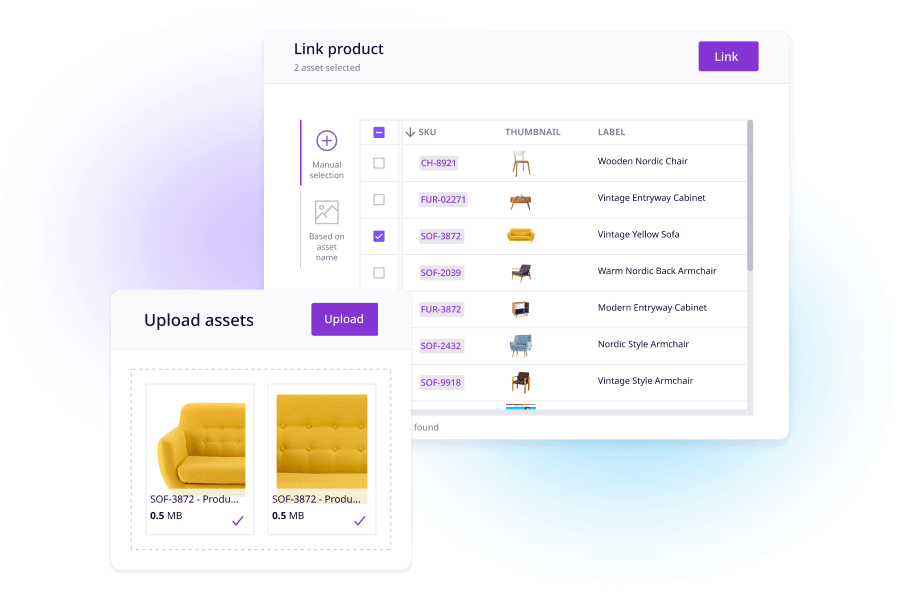
Image linking to products
Channel-specific formatting
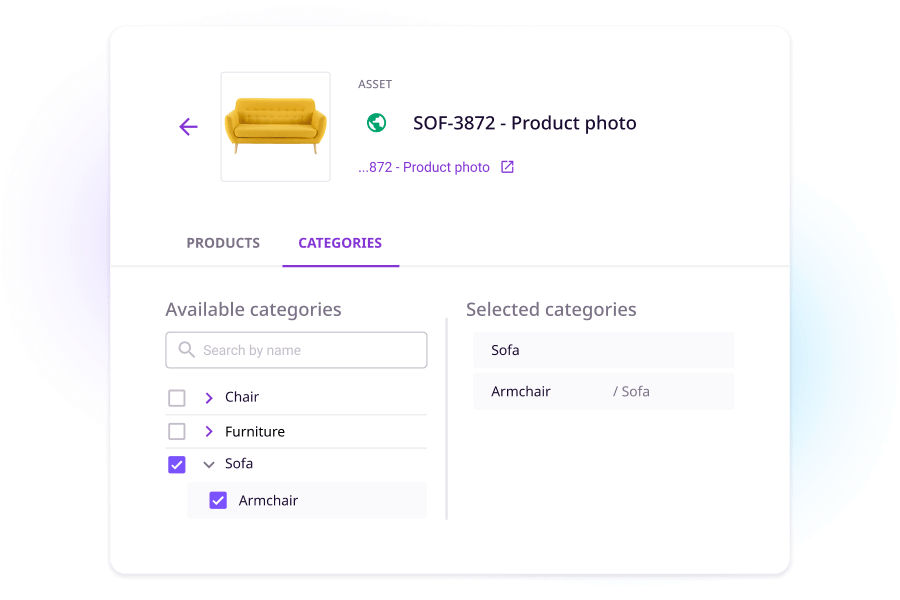
Custom asset taxonomy and categories
Smart and static asset lists
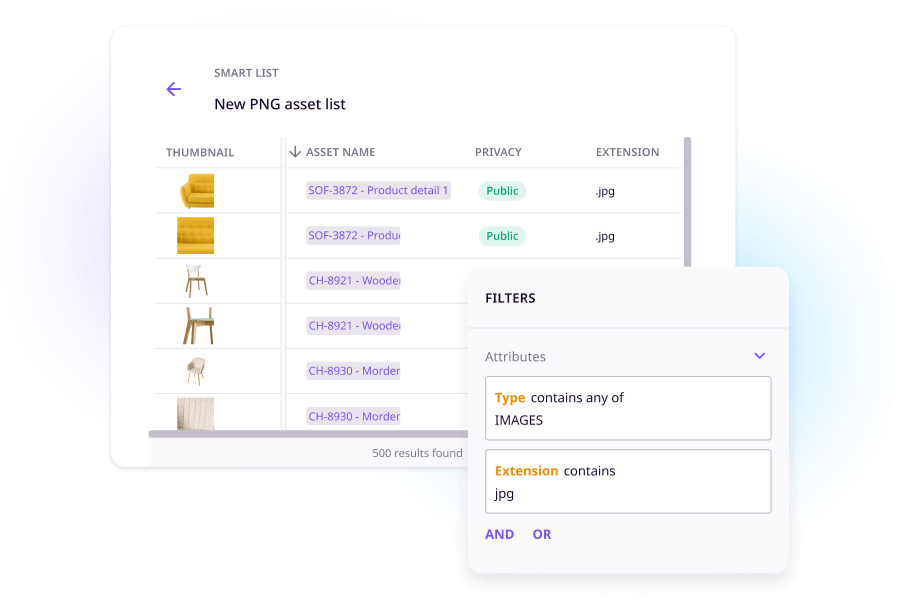
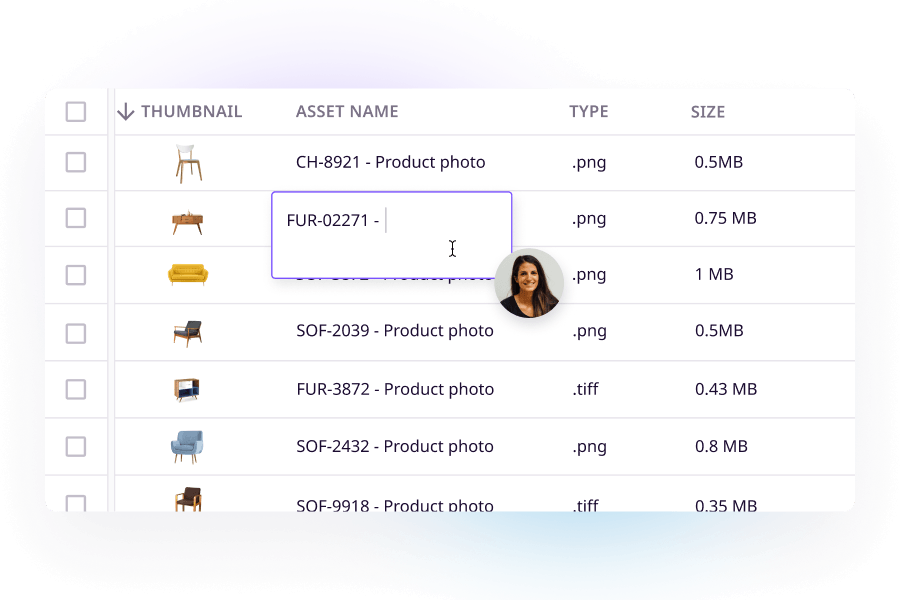
Table view for easy updates
How is AI used in DAM software?
AI is changing how teams work with digital assets. Here is what that looks like in practice.
What AI can do in a DAM
DAM systems use AI for image transformation: resizing and reformatting assets so they meet each channel’s specs, and editing product photos to improve quality, change backgrounds, or prepare them for specific platforms. Without AI, that means downloading each image, editing it in a separate tool, and re-uploading it for every channel that needs a different size or format. With AI built into the DAM, the right version is generated automatically when you export.
What to look for in a DAM's AI features
The most useful AI features fit into your existing workflow rather than requiring a separate tool. Look for image transformation built into the DAM itself, meaning you can resize, reformat, and edit images without leaving the platform or sending files to a designer.
What AI looks like in Plytix
Plytix handles image transformation inside the platform, so you’re not bouncing between tools. Plytix automatically links your images to your products based on filename, so the image you’re editing is always the right one.
-
- Relighting: Change product photo backgrounds without reshooting
- Upscaling: Increase image resolution for high-quality channel exports without losing quality
- Custom editing: Make targeted edits to product images without leaving the platform
- Shopify-ready image generation: Generate images formatted to Shopify specs automatically
Why choose a PIM DAM integration?
Because PIM and DAM are better together
A PIM DAM integration connects your product data and your digital files in one place. Your descriptions, specs, and channel data live alongside the images and videos that go with them. When they’re separate, keeping them in sync is a constant manual effort. When they’re connected, it happens automatically.
What are the different use cases for PIM DAM integrations?
PIM DAM for Retail
PIM DAM for Manufacturers
PIM DAM for Distributors
Why companies choose Plytix
Book a free demo to see if Plytix works for you.
FAQs
Digital asset management for ecommerce is having one place to store, organize, and share the images and media your team uses to sell online. For ecommerce brands, that means having the right image connected to the right product, in the right format for each channel.
Product asset management is making sure the files tied to specific products are easy to find and ready to use: the right image, connected to the right product, in the right format for wherever it needs to go. Plytix handles this by keeping assets and products together in one place.
A PIM manages your product information: descriptions, specs, and all the data that goes with your products. A DAM manages your digital files: images, videos, PDFs, and brand files. They solve different problems but work best together, which is why Plytix includes both in one platform.
Look for automatic image resizing for each channel, assets that connect directly to your products, a way to make sure only current files are ever shared, and image editing built into the platform. A PIM+DAM like Plytix handles all of this because your assets and product data live in the same place.
It depends on how many files you have and how organized they currently are. Large standalone DAM tools can take months to set up. With Plytix, there’s no separate DAM setup because it’s built into the PIM, so you’re working with your assets from day one.
Plytix includes AI image editing built into the platform: change photo backgrounds, increase image resolution, make custom edits, and generate images formatted for Shopify. Your assets also link to the right products automatically based on filename, so everything’s connected before it goes anywhere.
DAM is included in every Plytix plan at no extra cost. You can find full pricing details on the Plytix pricing page.
Yes. Each file can be up to 600 MB. Total storage depends on your plan: Standard includes 50 GB, Pro includes 750 GB, and Enterprise plans include custom storage. DAM is included in every plan.
Plytix DAM lets you store most file types available, including images, videos, audios, PDFs, and more. If you have a specific format in mind, check out this page to see if it’s supported.
Yes. Every Plytix customer gets a dedicated Customer Success Specialist who guides them through onboarding and is available for ongoing support.