Opens in a new tab

Plytix × Odoo connector

Connect Odoo and Plytix to keep product data in sync

Built and supported by FlexiGoTech.

Get started
Plytix and Odoo partnership.

Odoo runs your operations.
Plytix gets your product content ready to sell.

Start from data in Odoo

Products created in Odoo, including variants, can be sent to Plytix. Internal reference maps to SKU, name to Label, and barcode to GTIN, alongside price, cost, weight, dimensions, and HS code.

Send enriched content back 

Attribute values, product families, categories, and relationships can sync from Plytix to Odoo, along with images and documents from Plytix Digital Asset Management.

Decide what syncs and how

Guided mapping lets you set the direction for each attribute, and nothing syncs until you turn it on. Run a full catalog sync or pull only what changed since the last run.

Running Odoo? Talk to a specialist about connecting it to Plytix.

How the Odoo integration works

Set up in three steps

What syncs and how

What you need

Built and supported
by FlexiGoTech

1. Install the connector

Install the Plytix PIM Connector from the Odoo Apps Store, then activate FlexigoTech Cloud with a free trial or subscription.
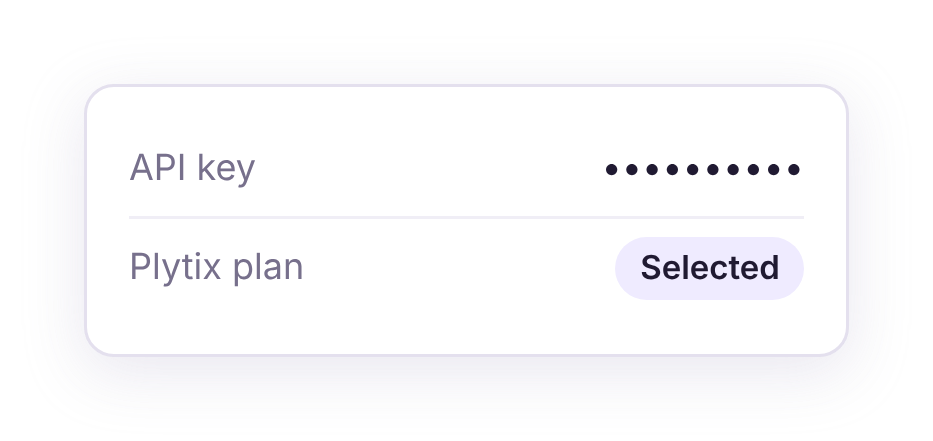
Odoo–Plytix API settings with a masked API key and Plytix plan marked Selected.
2. Connect your Plytix account

A Plytix Owner or Admin creates an API key. Enter it in Odoo and select your Plytix plan so requests are paced to match.
3. Map your fields and choose a direction

Review the suggested mapping, set the direction for each attribute, and enable only what you need. Test first with the included sample catalog.
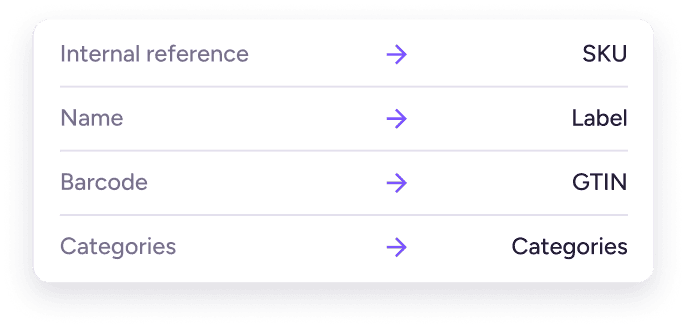
Plytix to Odoo mapping: Internal reference → SKU; Name → Label; Barcode → GTIN; Categories → Categories.
Odoo to Plytix

Operational product data from your ERP.

  • Products and variants
  • SKU, Label, and GTIN
  • Archived status
  • Price, cost, weight, volume, dimensions, and HS code
Plytix to Odoo

Enriched content and assets, matched by SKU.

  • Products, variants, and sub-variants
  • Attribute values and product families
  • Categories and product relationships
  • Images and documents
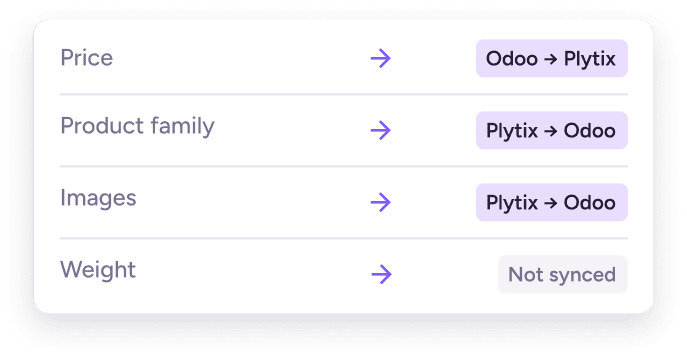
Direction per attribute
Sync is off by default. Run it manually or automatically when products change.
Odoo–Plytix sync: Price from Odoo to Plytix; Product family and Images from Plytix to Odoo; Weight not synced.
Requirements

Have these in place before you start.

  • A Plytix account and an API key from an Owner or Admin
  • Odoo 17, 18, 19, or 20 with the Discuss and Invoicing apps
  • The Plytix PIM Connector and an active FlexigoTech Cloud trial or subscription

Good to know

A few things to plan for.

  • Syncing pauses if the trial ends or a payment lapses
  • Barcodes that fail GTIN validation are skipped and logged
  • Re-enter your Plytix credentials after updating from an earlier connector version
  • Customization, migration, and historical data import aren’t included

FlexiGoTech

FlexiGoTech builds, maintains, and supports the Plytix PIM Connector for Odoo. Contact them with questions about the connector.

Plytix–Odoo connector developer: FlexiGoTech; email: comercial@flexigobe.com; listing: Odoo Apps.

FAQs

The Plytix PIM Connector is built, maintained, and supported by FlexiGoTech, an Odoo app developer. You can find the app on the Odoo Marketplace here. For questions about the connector, contact FlexiGoTech at comercial@flexigobe.com.

Yes. You choose the direction for each attribute, so Odoo can stay the source for operational data like SKUs and prices while Plytix supplies enriched content like attributes, categories, and images. Sync is off by default, so nothing moves until you enable it.

From Odoo to Plytix: products and variants, SKU, label, GTIN, archived status, price, cost, weight, volume, dimensions, HS code, and other mapped fields. From Plytix to Odoo: attribute values, product families, categories, product relationships, images, and documents.

Yes. It supports product variants and sub-variants, matches records by SKU, and keeps the links between records.

A Plytix account with an API key created by an Owner or Admin, a supported version of Odoo (17 to 20) with the Discuss and Invoicing apps, and the Plytix PIM Connector with an active FlexigoTech Cloud trial or subscription.