
• … your process logs in your Shopify channels, by downloading them ️ •
Do you want to keep track of all your — Shopify-related — errors and successes? Now you can! If you wish to keep a record of your process logs, you can do so by downloading the report directly in your Shopify channel page.
You now can download processed logs in all of your Shopify channels in two ways:
1. By hovering over a process log in the “Process Log” overview page and clicking “Download” on the icon that appears
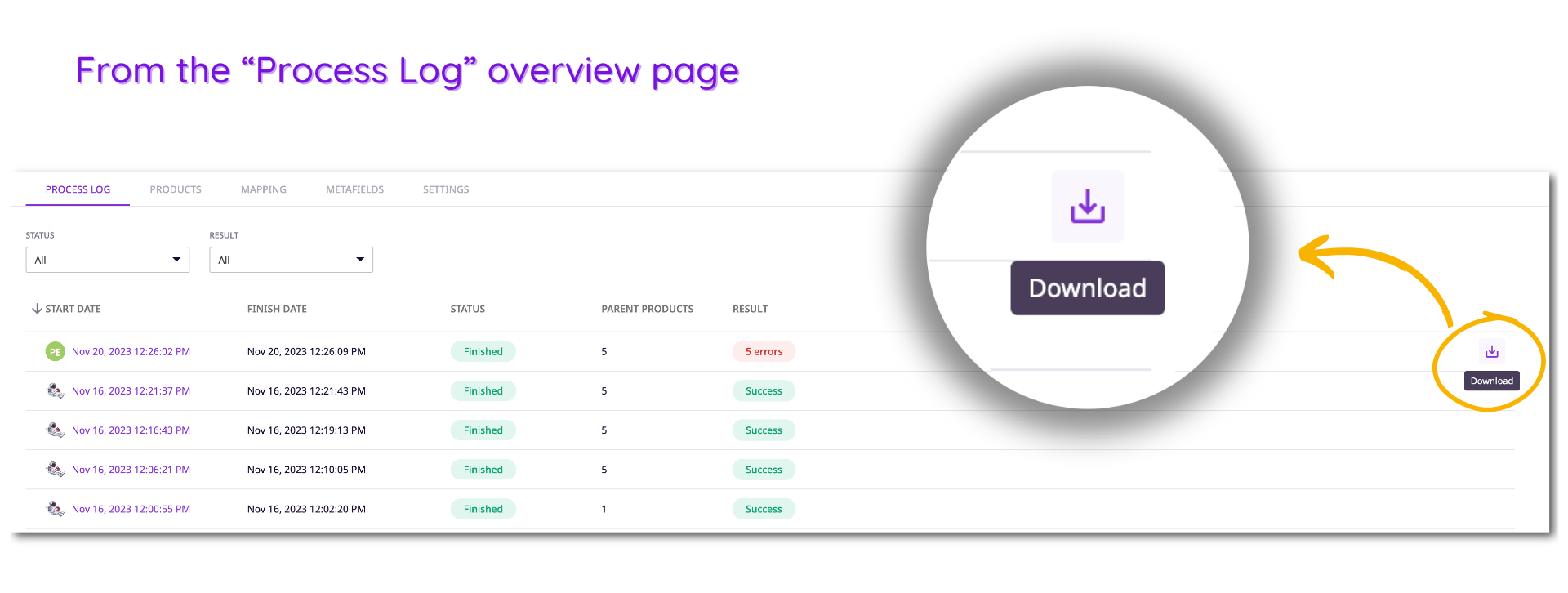
2. By clicking on a specific process log in the first overview page and selecting “Download report” on the right-hand side of the page
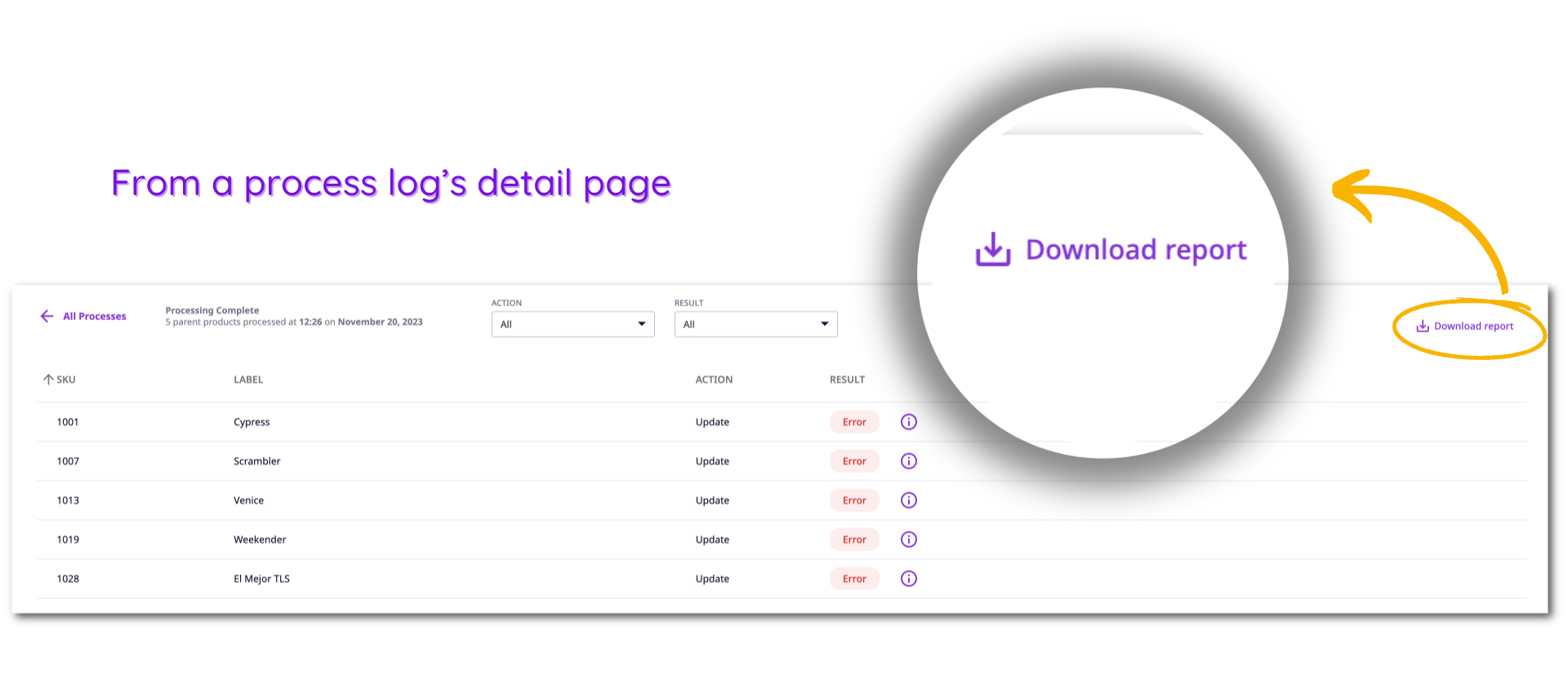
P.S.: Plytix keeps track of your last 20 process logs. This means you can’t be held accountable for any process logs made before that because it won’t show up on the interface… This also means that you’ll be able to download the reports for any process logs that are on the page, for as long as they exist there.