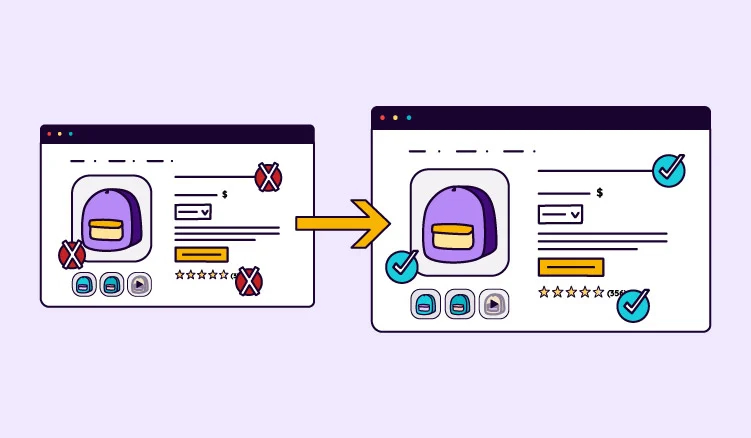
Your product photos live in Dropbox. The spec sheets sit in SharePoint. The latest product titles are in a spreadsheet only one person trusts. So you start looking for a fix, and two acronyms keep coming up: PIM and DAM.
The names make them sound like two separate purchases. But for most ecommerce teams, the real question isn't which one to buy. It's whether your files need to live with your products, and whether one system can handle both.
What's the difference between PIM and DAM?
The difference comes down to what each system manages. A PIM manages product data: the attributes, variants, and prices attached to each SKU. A DAM manages digital files: images, videos, documents, and other assets that teams need to store, organize, and share.
What is PIM?
Product information management (PIM) software centralizes all your product information in one place, optimizes it for every channel, and distributes it wherever you sell.
It's the system of record for what you sell. It’s built around the product, so ecommerce and product data teams can use it to keep information accurate, complete, and ready to publish.
Where PIMs differ is how they handle files. Some let you attach images or link to files stored elsewhere. Others, like Plytix, include a built-in DAM that stores, organizes, and edits those files, and links each one to every product it belongs to.
What is DAM?
Digital asset management (DAM) software stores, organizes, and controls access to digital files. That includes product photos, campaign images, stock photos, videos, documents, and design files.
A DAM is built around the file rather than the product. Creative and brand teams use it to find the right asset, manage versions, control access, and share files with the people who need them.
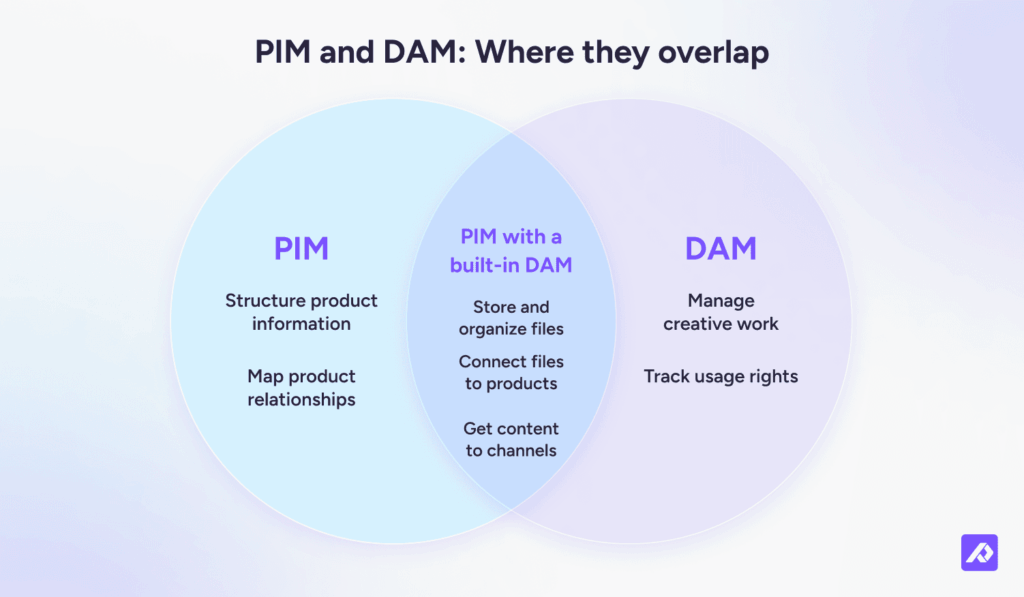
PIM and DAM overlap more than their names suggest. Here's what each system handles on its own, and what they can handle together when a PIM includes a built-in DAM.
| Tasks you need to do | PIM | DAM |
|---|---|---|
| Structure product information | Models attributes, variants, and bundles | Not built for product data |
| Track readiness | Checks completeness against each channel's rules | Doesn't check product data against channel rules |
| Store and organize files | Only with a built-in DAM: images, video, and documents, organized by category | Its core job, with search across large libraries |
| Connect files to products | With a built-in DAM, files sit on the product record | Usually through metadata or an integration with a PIM |
| Get content to channels | Sends data in each channel's format and, with a built-in DAM, resized and renamed images | Shares files through links and portals |
| Manage creative work | Not built for creative workflows | Version control, review and approval workflows, and connections to design tools like Adobe Creative Cloud |
| Track usage rights | Doesn't track usage rights | Licenses, usage limits, and expiry dates |
In short, a PIM owns product data, a DAM owns creative control and usage rights, and a PIM with a built-in DAM covers the file jobs in between.
What content goes in PIM vs DAM?
Product data belongs in the PIM. Product files belong with the products they show, ideally in the same system. Brand and campaign files are where a standalone DAM comes in.
The DAM vs PIM distinction isn't simply about whether a file is an image or a document. It's about what that file is connected to. A product photo might belong to one SKU or an entire product family. A campaign banner usually isn't tied to a product at all.
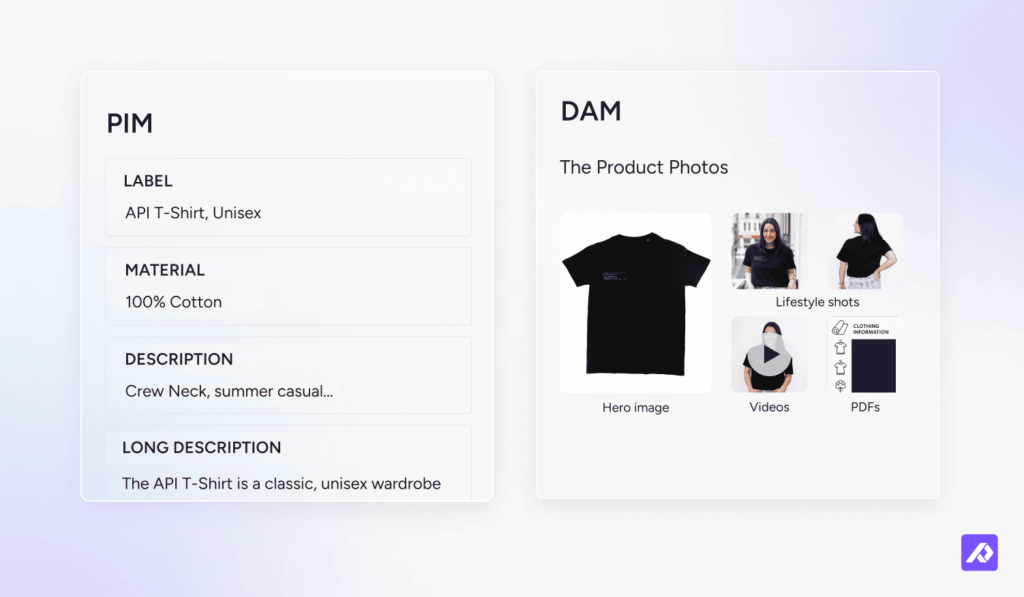
Here's how the different types of content break down:
| Type of content | Examples | Where it goes | Why |
|---|---|---|---|
| Product data | Titles, descriptions, specs, attributes, prices, variants, and translations | A PIM | It describes each product and changes per channel, so it needs structure and checks before it goes live |
| Product files | Product photos (including swatch, 360, and 3D), lifestyle images, product videos, spec sheets, manuals, size charts, and Amazon A+ modules | A PIM with a built-in DAM, or a standalone DAM connected to your PIM | Each file belongs to one or more products and needs a version for every channel |
| Marketing and brand files | Campaign creative, licensed stock photos, raw shoots, design and packaging source files, and brand guidelines | Usually a standalone DAM | They support campaigns and the brand rather than specific products, and often need approvals or license tracking |
Product files need more than a place to sit. Each sales channel has its own image requirements, so teams need to resize, rename, or convert versions to fit. Alt text matters, too. It describes what's in an image, so it belongs alongside the image and its product information.
That's why product data and product files work best together in a PIM with a built-in DAM. Marketing and brand files are where a standalone DAM starts to earn its place.
Selling in the EU? Digital Product Passports make the connection between product data and product files even more important. The EU is introducing the DPP one product group at a time. Each passport brings together product identifiers and supporting documents, such as declarations of conformity and safety information. In other words, it draws on both your product data and your product files.
If you’re still working out what a Digital Product Passport is and how to prepare for one, getting your product data and files organized in one place is a good start.
Do you need PIM, DAM, or both?
If you sell products across channels, you'll need some form of asset management. That doesn't necessarily mean a separate DAM.
If most of your files exist to help you sell products, a PIM with a built-in DAM can handle them. A standalone DAM makes sense when print production, licensed media, or a large brand library demands more than a PIM can offer.
The problem usually starts with scattered files. In Plytix sales calls with around 200 ecommerce brands in 2026, about one in three raised an issue with images and files spread across different tools. Only a few of them had a DAM. Most were getting by with Dropbox, SharePoint, or Google Drive, and nobody was sure which photo belonged to which SKU.
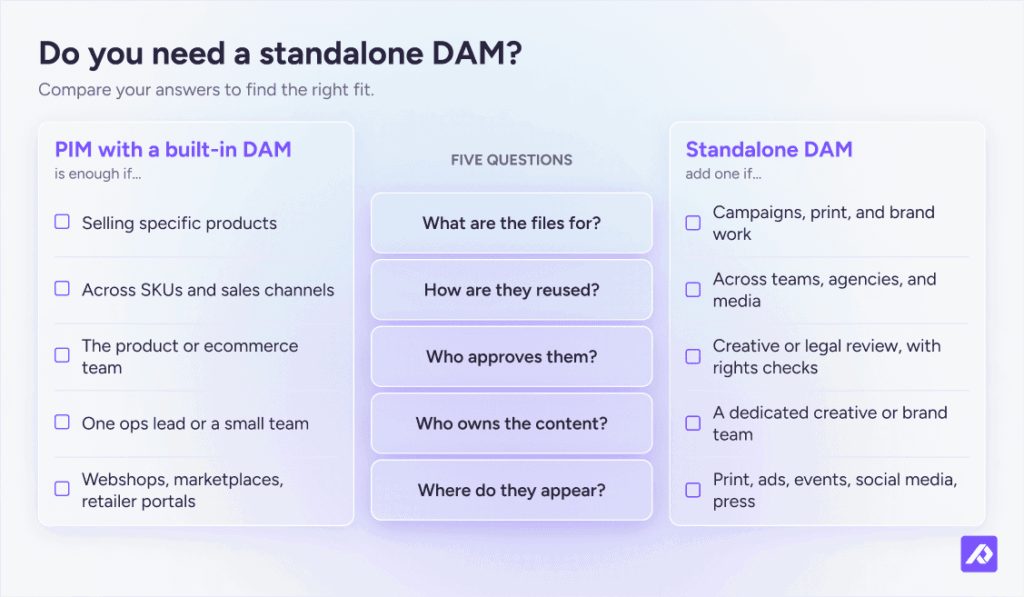
Use these questions to work out what your team needs.
| Question | A PIM with a built-in DAM is enough if... | Add a standalone DAM if... |
|---|---|---|
| What are the files for? | Selling specific products | Campaigns, print, and brand work |
| How are they reused? | Across SKUs and sales channels | Across teams, agencies, and media |
| Who approves them? | The product or ecommerce team | Creative or legal review, with rights checks |
| Who owns the content? | One ops lead or a small team | A dedicated creative or brand team |
| Where do they appear? | Webshops, marketplaces, retailer portals | Print, ads, events, social media, press |
When is a PIM enough?
A PIM with a built-in DAM is enough when your files exist to sell products. That covers most ecommerce teams: hundreds or thousands of SKUs, photos for each variant, and several sales channels with their own image requirements.
With that many SKUs, linking one file to many products makes a real difference. Ryan W., whose small business has an 80,000-product catalog, described it this way in a G2 review:
"I also appreciate how easy it is to link media elements so we can be efficient and have one document or image linked to multiple products."
If your team spends hours resizing images for Shopify or removing backgrounds for Amazon, you have an asset management problem. A PIM that only lets you attach images won't solve it. You need one that can manage the files too.
If you’re comparing PIMs, check what the built-in DAM actually does: whether it stores files or just links to them, and whether it can resize and rename images for each channel.
For example, Plytix has a DAM built right into its PIM. Here's what that looks like:
- Assets linked to the SKU. Images, videos, and documents sit on the right product record. You can link one file to a single SKU or multiple products. Search also shows which products are still missing images.
- Ready for every channel. Prepare a product photo once. On export, each channel gets a version resized, renamed by SKU, and converted to JPEG or PNG. The original stays intact.
- AI image editing. Remove backgrounds in bulk, or upscale and relight product photos. The Shopify Ready option resizes photos to Shopify’s listing, banner, and collection sizes. AI edits use credits.
- Sharing with partners. With Plytix Brand Portals, retailers and distributors get the product content and files you choose to share, already linked to each product.
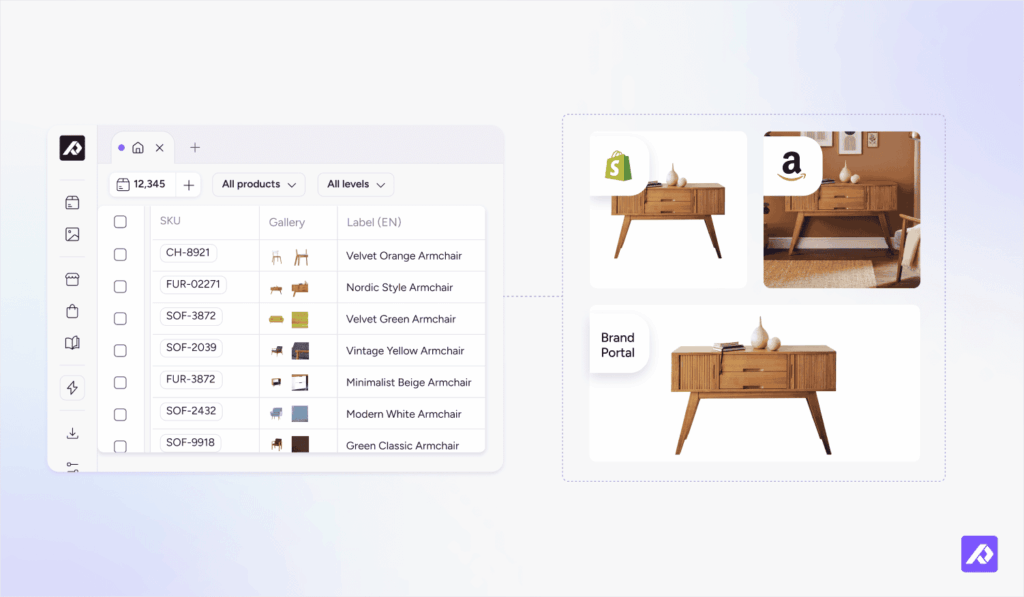
The bigger win is having one system instead of two. Product data and the files that show it stay in sync with no second tool to update or connect.
As Frank H., Director of Digital Systems, put it in a G2 review:
"You get PIM and DAM together, with no big setup project needed. Plytix now holds all our product info and images for about 12,700 SKUs in one place."
When do you need a standalone DAM?
A standalone DAM still makes sense when the work is creative production, not product publishing. Three situations in particular call for the jobs only a DAM handles: managing creative work and tracking usage rights.
- Print and packaging files. InDesign files link to separate graphics and fonts. Before teams can hand them off or send them to print, those linked assets and fonts need to be packaged together. If your team produces catalogs or packaging, you need a DAM that can handle those packages and connect to design tools.
- Rights-managed assets. Licensed photos, model releases, and creator content come with expiry dates and usage limits. Gartner lists digital rights management, including license dates and terms, as a mandatory DAM feature. That’s not what a PIM is built to track.
- Brand libraries that need approvals. A PIM with a built-in DAM can store a logo or campaign banner. But if your brand team runs review rounds, tracks versions, and controls access across hundreds of creative files, that’s a job for a standalone DAM.
If that sounds like your team, you'll likely need both systems. This guide to PIM DAM integration covers how to connect them.
Not sure which one your catalog needs?
Think back to those photos in Dropbox and spec sheets in SharePoint. For most teams, the answer isn't another system. It's getting every product file linked to the product it belongs to, ready for every sales channel.
If your work involves print runs, licensed media, or brand approval rounds, a standalone DAM is worth adding.
Talk to a Plytix product expert about how your products and files are set up today. You'll leave the call knowing which side of that line you're on.
One tool for your product content.
Less to set up. Less to maintain.
Frequently Asked Questions
For most ecommerce teams, yes. A PIM can replace a DAM as long as that PIM includes a built-in DAM, not just a place to attach images. It should store product files, link them to products, and prepare them for each sales channel.
Keep or add a standalone DAM if you manage print production, rights-managed media, or a brand library that needs review rounds and version control.
Start with the PIM if your main problem is getting accurate product information onto sales channels. With a built-in DAM, product photos and documents can live on the product record from day one.
Add a standalone DAM later if your creative production or brand asset needs outgrow the catalog.
Not necessarily. Shared drives store files, but they don’t know which file belongs to which product, variant, or channel. That’s usually the real gap.
A PIM with a built-in DAM links each file to its SKU. A standalone DAM makes more sense when most of your files are brand and creative work.
PIM stands for product information management: software for the data that describes your products. DAM stands for digital asset management: software for files like images, videos, and documents.
In marketing, a DAM is usually the brand team’s asset library. When people write PIM/DAM or DAM and PIM, they usually mean one platform that does both, like Plytix.
No. Master data management (MDM) governs core business data across a company, such as customers, suppliers, and products.
A PIM focuses on product information and getting it ready for each sales channel. Many ecommerce teams run a PIM without an MDM. Large enterprises often run both.
Yes. Small teams often feel the pain first because one person handles product data, images, and every sales channel.
A PIM with a built-in DAM keeps that work in one place. Plytix’s Standard plan is free for small catalogs with asset management included.