Opens in a new tab

PLYTIX - SHOPIFY PRODUCT CONTENT MANAGER

Arguably the best way to manage your product content for Shopify

Create better product content for every market, faster than ever

Porsche logo
Unilever logo
JLine logo
Sketchers logo
Philips logo
New Balance logo
Reebok logo
Ace logo
Apos logo
Cost plus logo
Evereve logo
Little robot logo

Empowering over 1,000 Shopify merchants around the world

Top 3 reasons to use Plytix to manage your product content for Shopify

Accurate listings

No more manual uploads or messy spreadsheets. Your product info stays synced across every store.

Record-time launches

Launch new products and expand to new markets faster with built-in AI and localization tools.

Content that converts

Create and optimize copy and images in bulk for better SEO and AEO rankings and discoverability.

G2 Badges showing Top 50 Commerce Products, Best Usability, Most Implementable, Best Relationship, Best Results, and Leader.

The best Product Information Management system on G2 in 2026

See for yourself

A system of record you can trust

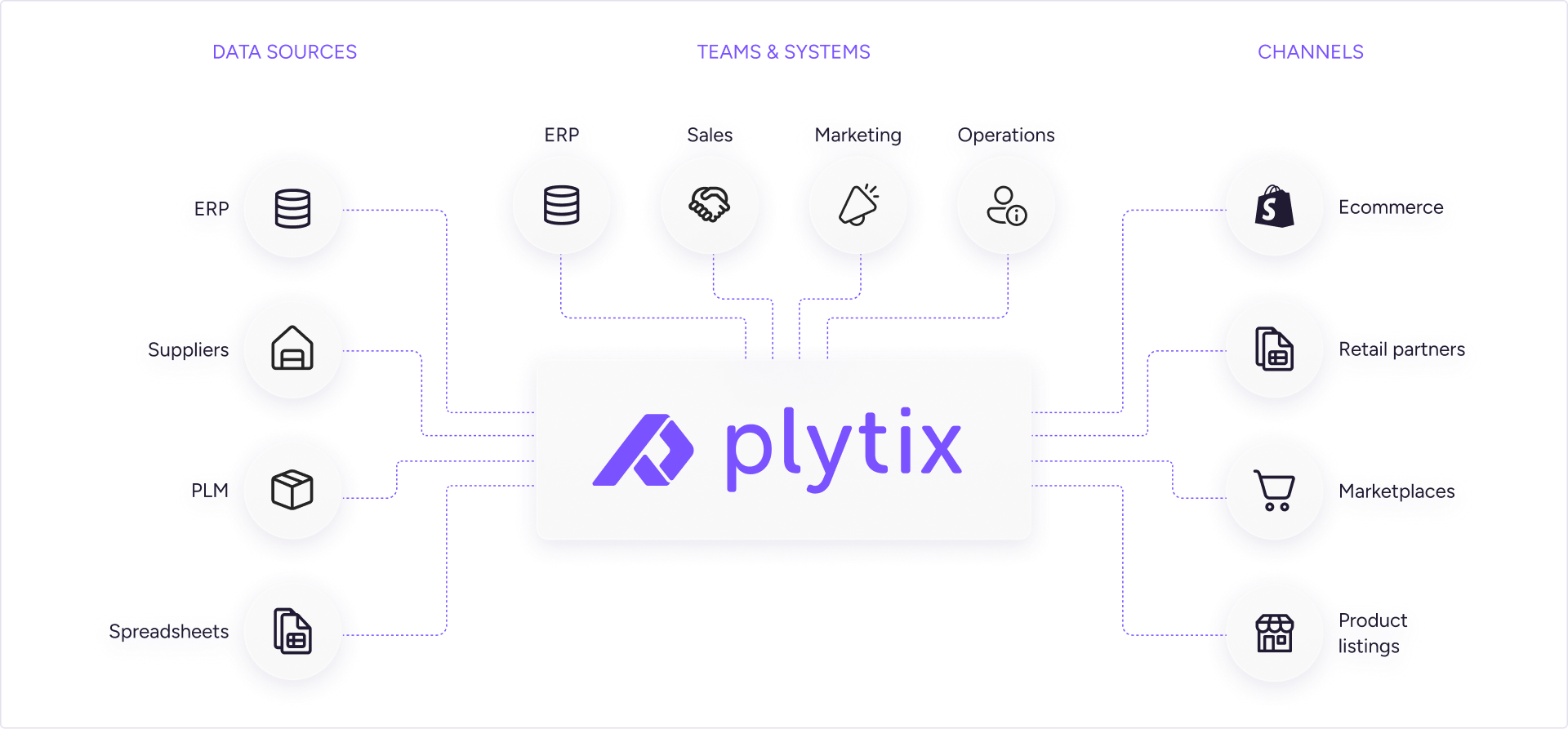
Plytix isn’t just another tool in your stack. It is the missing piece that connects everything and keeps your product information consistent everywhere. 
Diagram showing Plytix centralising product data connecting Data Sources, Teams & Systems, and sales Channels.

Find out how Plytix fits into your stack.

Manage your product
information like a pro

Like spreadsheets, but better

Work with your product data in a simple, familiar interface.

Fully integrated DAM tool

Manage product media files right alongside your product data.

Made for team collaboration

Make it easy for everyone to work together on product data.

Better product content, faster

Eliminate manual product content tasks with agentic workflows.
In-cell editing
Edit product information directly in the product overview.
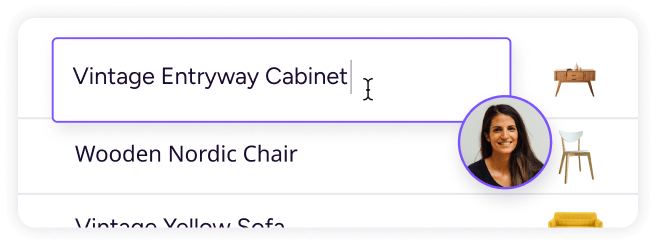
Plytix product table editing “Vintage Entryway Cabinet” in-cell with a collaborator present.
Formulas
Handle calculations and automate repetitive tasks.
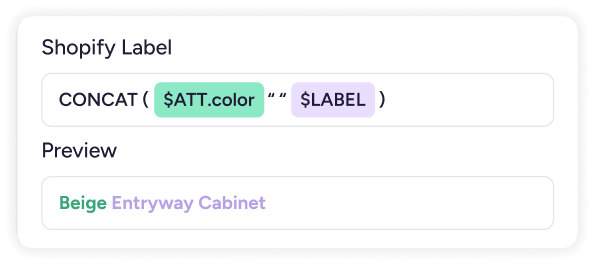
Plytix formula editor generating the Shopify label “Beige Entryway Cabinet” from color and label fields.
Completeness tracking
See what information is missing at a glance.

Plytix completeness tracker showing Website Ready at 54%.
Filter and search
Quickly narrow down your data to find what you need.
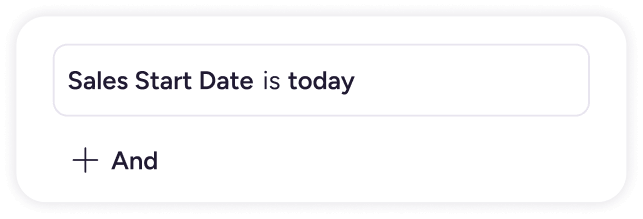
Plytix filter builder using the condition “Sales Start Date is today” with an option to add another rule.
Product linking
Easily connect products to the right images and assets.
Plytix Blue Armchair product page showing linked pictures and videos for SKU 881040.
Image editing
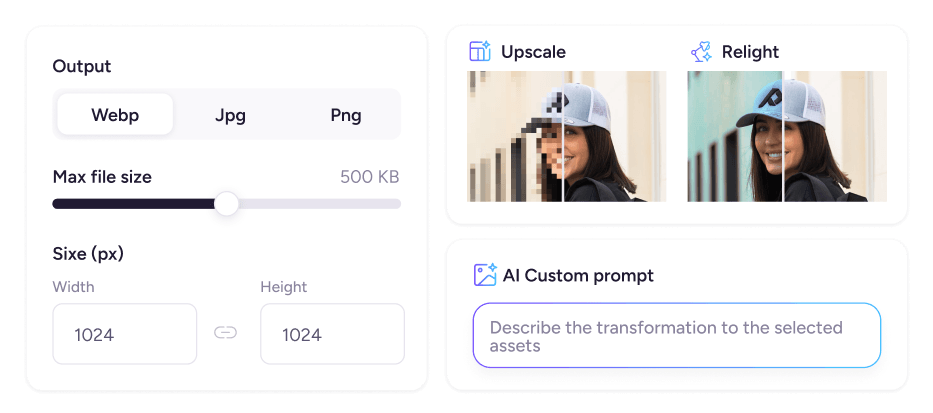
Upscale, autoformat, and edit images with AI.
Plytix image editor with format and size controls plus AI Upscale, Relight, and Custom prompt tools.
Commenting
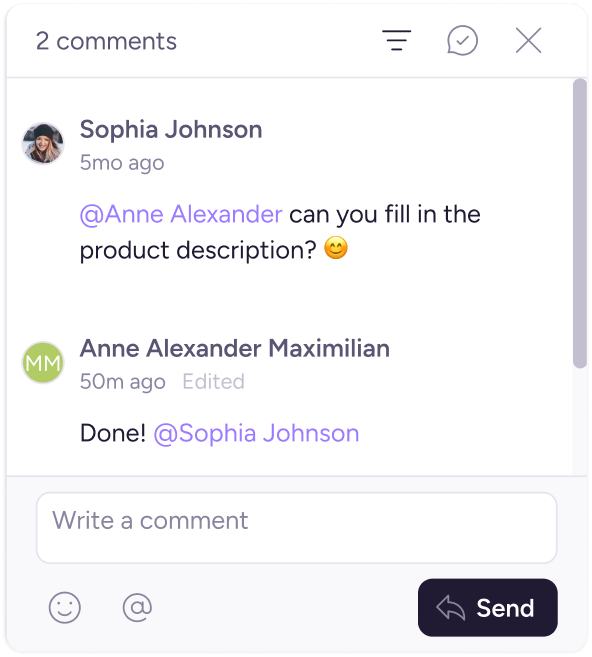
Leave comments, ask questions, and keep conversations in context.
Plytix comments panel showing Sophia asking Anne to fill in a product description and Anne confirming it is done.
User roles
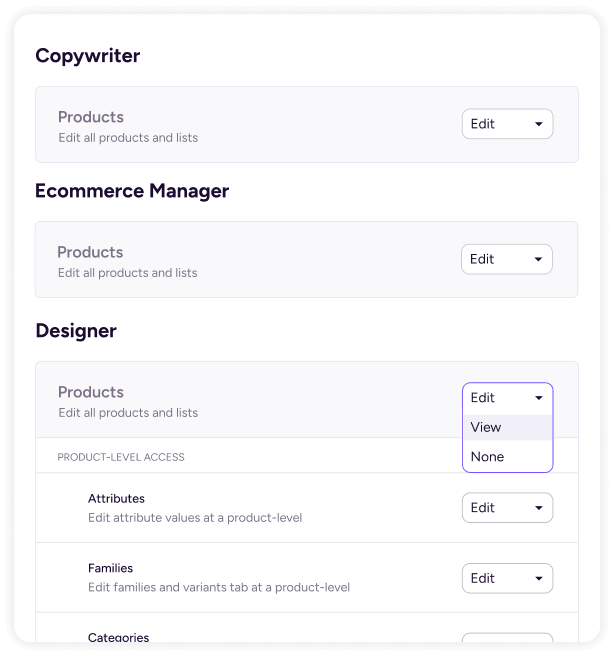
Give everyone the right access based on what they need to do.
Plytix user roles panel showing Edit, View, or None product permissions for Copywriter, Ecommerce Manager, and Designer.
Plytix AI
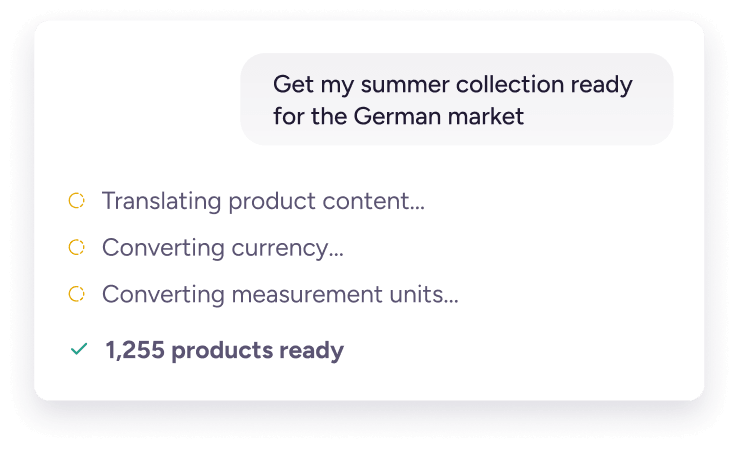
Optimize product content with one simple prompt.
Plytix AI assistant preparing 1,255 products for the German market by translating content, currency, and units.
Automations
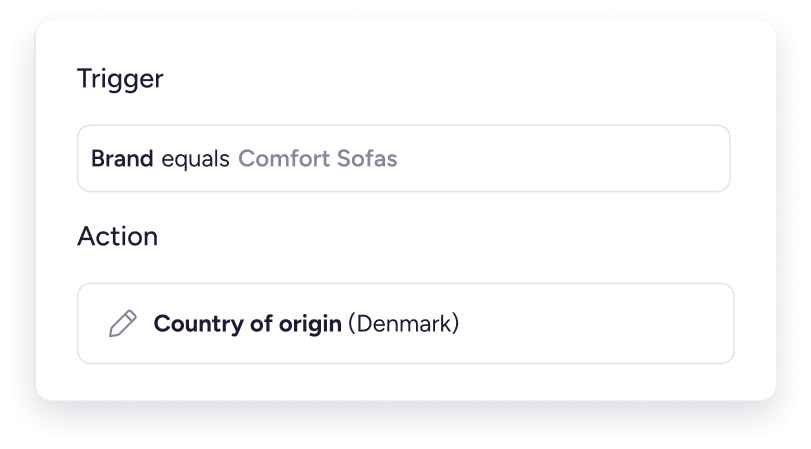
Put repetitive product data tasks on autopilot.
Plytix automation setting country of origin to Denmark when Brand equals Comfort Sofas.

Not every feature made it onto this page.

Faster edits. Smarter content. Zero spreadsheets.

Other bulk editing apps
Multi-market/store updates
Text & image editing
Metafield editing
Rule-based updates
Spreadsheet-like interface
Team collaboration tools
Syncs to Shopify
AI bulk edit
AI image transformation

Everything you need to make your product content awesome

Standard

For small teams
Starting at
0 /mo

Pro

For bigger teams
Starting at
149 /mo

Enterprise

For your entire organization
Starting at
699 /mo

Top 5 things Shopify customers love about Plytix

1. Extremely user-friendly

“The platform is incredibly user-friendly and intuitive, even for team members who aren’t very tech-savvy. Plytix is a no-brainer.”

Scott Lee

Ecommerce Merchandising & Operations Manager, Maven Lane

2. Incredible customer support

“The Plytix support team truly feels like an extension of our own. They’re responsive, knowledgeable, and always ready to help with anything.”

Fanny Brin

Head of Ecommerce, El Machetazo

3. Robust AI tools

“Plytix’s AI tools help us generate content to fill in missing product details from our partners, keeping our product data complete and consistent across all of our Shopify stores.”

Natália Filpi

Director of Ecommerce, Wholesome Goods

4. Simple multistore management

“We can now upload an image once and distribute it across all our stores. Before Plytix, we had to upload the same image to each individual store, and sometimes even multiple times within the same store for different variants.”

Thea Rasmussen

Digital Business Developer, SACKit

5. Powerful bulk editor

 ”The bulk edit and import features in Plytix are well-suited to ecommerce and easy to integrate with Shopify.It’s a very easy platform to use for managing products and pushing them live to Shopify.”

Daphne Saropoulou

Ecommerce Manager, Porsche Australia

A big decision deserves a chat.
Book 20 minutes with one of our product specialists.

FAQs

Shopify is built to sell your products. Plytix is built to manage the product content behind them.

With Plytix, you get one place to create, enrich, and update product content, then sync it to Shopify and your other sales channels. You can edit products in bulk, use AI to create and improve content, and see what’s missing before it reaches your store.

You can bring your Shopify catalog into Plytix with the Shopify Magic Importer. It pulls in your products, attributes, metafields, assets, and parent-variant relationships, so you don’t have to rebuild your catalog from scratch.

Once your data is in Plytix, you can clean it up, fill in the gaps, and enrich it in bulk. Then sync the improved content back to Shopify.

Plytix treats Shopify metafields like any other product attribute. You can view, edit, and update them in bulk across your catalog.

Map existing metafields to Plytix attributes, or create new metafields from Plytix without going back into Shopify settings. Plytix supports both product and variant metafields.

Make your changes once, and Plytix syncs them to your connected Shopify stores.

Plytix supports the metafield types most stores rely on:

  • Text: Single line, multi line, rich text, and URLs.
  • Numbers and measurements: Integer, decimal, rating, dimension, weight, and volume.
  • References: Product, variant, and file references.
  • Other types: Date, date and time, color, true or false, and JSON.

You can also use formula attributes to transform your data before it reaches a metafield.

Metaobjects work differently in Shopify and aren’t synced directly. If your store relies on them, book a discovery call with a Plytix specialist to walk through your setup.

Plytix is a Shopify app, so you can connect your Shopify store directly from the Shopify App Store. Once connected, Plytix syncs your product content between the two systems.

Make your product updates in Plytix, then sync them to Shopify when you’re ready or schedule updates to run automatically. There’s no middleware or third-party connector to set up.

Yes. Plytix syncs the product content you need to run your Shopify store. That includes:

  • Product information: Titles, descriptions, and all the product attributes you manage in Plytix.
  • Metafields: Product and variant metafields.
  • Variants: Product and variant information stays connected as you make updates.
  • Images and files: Linked assets are sent to Shopify, resized and renamed as needed.
  • Translations and market-specific content: Localized content for the regions you sell in.

You manage your product content in Plytix, then sync it to Shopify when you’re ready. No need to maintain the same product information in both systems.

Yes. Connect your Shopify stores and markets to Plytix and manage them from one workspace.

Update a product once and push the change to the stores that need it. You can also manage translations and market-specific content, so each region gets the right product information.

Yes. Our completeness tracking feature shows you what’s missing before a product reaches your store.

See which products need attention, fix missing information in bulk, and send complete product content to Shopify. Your customers get finished listings, not half-built ones.

Plytix is designed to be your system of record, so you manage your product content in Plytix and sync it to Shopify.

If your team makes changes directly in Shopify, you can pull the current Shopify data into Plytix using the Download store data option. From there, Plytix stays your system of record, keeping your product content consistent across your store.

The Shopify connector is included at no extra cost for smaller catalogs. As your catalog grows, the connector becomes an add-on to your plan.

Your Plytix plan and Shopify connector cost are both based on the size of your catalog, so you can start small and add what you need as your business grows.

Check out our pricing to see what Shopify plan is best for you.

Yes. Plytix lets you manage product content for Shopify and your other sales channels from one place.

Send your product content to Amazon, Google Shopping, Walmart, and other marketplaces, retailers, and channels, with each one getting the format it needs.

Yes. Every customer can start with a free pilot, with no time limit. Take the time you need to bring in your product data, see how Plytix fits your workflow, and make an informed decision before you buy.

For smaller catalogs, you can also use the Standard plan at 0. As your catalog grows, your price is based on the number of SKUs you manage, so you only pay for the catalog you have.

Try out Plytix for yourself.

Ask Rachel.

Rachel is Plytix’s AI assistant, available 24/7 to answer questions about features, plans, integrations, and anything else you want to know about Plytix.

You can find Rachel in the bottom-right corner of our website.