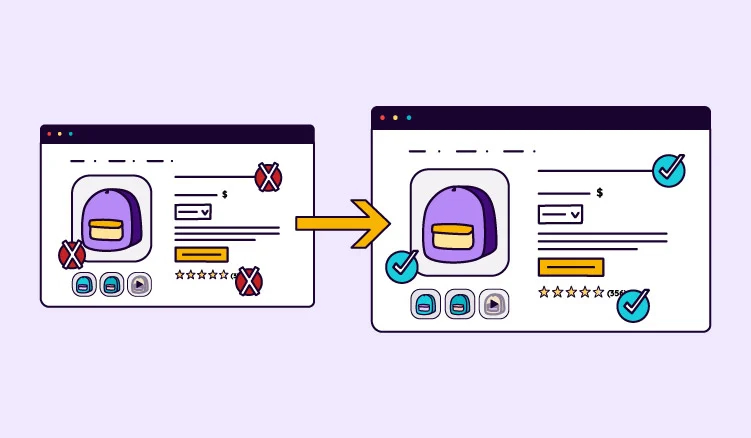
Your listing says olive. Your photos say black. Your size chart is from last season. Your shopper buys somewhere else. Or worse, they buy from you and send it back.
Behind that page, someone on your team is doing all the matching. Product details live in one place, photos and spec sheets in another.
Every launch means pairing the right file with the right SKU, then repeating the process for every channel. PIM DAM integration takes that work off their plate, keeping product information and assets connected across every channel.
There are two ways to get there: one platform with PIM and DAM built in, or a separate PIM and DAM connected together. Both work. First, let’s take a look at a quick definition, then we can see how each setup works.
What is a PIM DAM integration?
A PIM DAM integration is the connection between a product information management (PIM) system and a digital asset management (DAM) system. It links product records to their approved images, videos, and documents, so the right content reaches every sales channel.
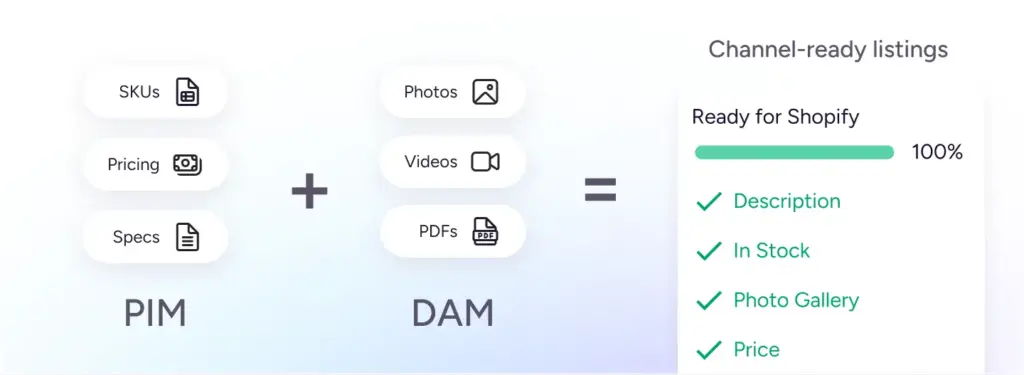
Put simply, a PIM manages product information like titles, specifications, prices, and variants. A DAM manages the assets that show each product: photos, videos, and spec sheets.
You can set up PIM DAM integration in two ways. The first is one platform with PIM and DAM built in, so the connection is already there. The second is two separate tools, a PIM and a DAM, linked together. If you choose separate tools, you can connect them in one of three ways:
- Pre-built connector: a ready-made integration between two specific tools.
- API: a custom connection your developers build.
- Middleware: a tool (like Make) that moves information between your PIM and DAM.
For a closer look at what each system does, see the PIM vs DAM article.
What is a PIM DAM system and how does it work?
A PIM DAM system is a setup where product data management and digital asset management work together, either through two tools connected by an integration or through one platform that includes both from the start.
Whichever setup you choose, the principle is the same: the PIM holds product information, the DAM holds product files, and each product record links to the assets it needs.
One file can link to multiple products. For example, a lifestyle photo showing an entire sofa range can be linked to every color variant. No need to upload the same image five times.
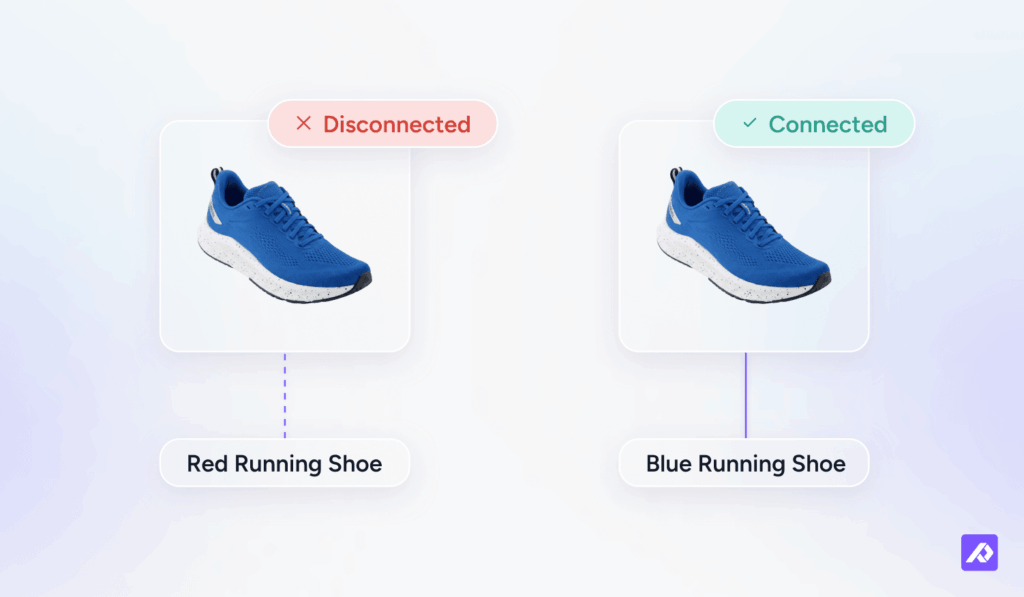
So, why does that link matter? Imagine a running shoe that comes in five colors. All five variants are ready to launch.
The PIM has the correct size charts, materials, and prices. The DAM has the approved photos and videos.
But there's a problem: the blue shoe's product listing still links to last month's red shoe photo.
The product data checks out, and the image itself is fine. But the wrong file is linked to the product. The listing goes live, a shopper orders the blue shoe, and the red one arrives.
That's what happens when product data and assets fall out of sync. Both systems did their job. The link between them failed.
How to set up PIM DAM integration in six steps
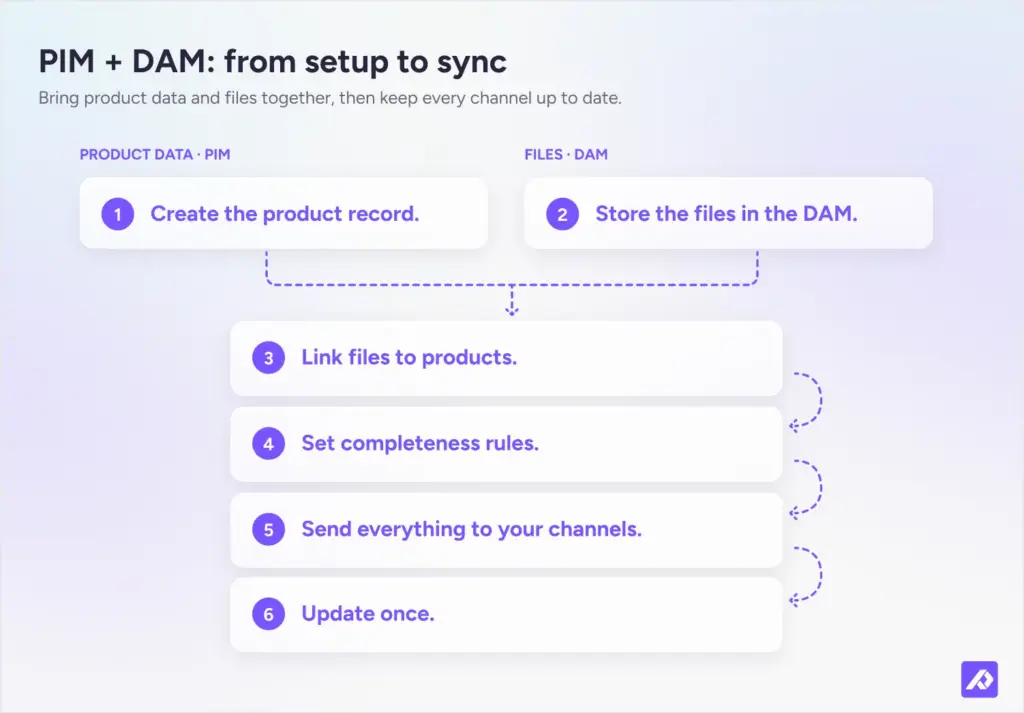
A working PIM DAM setup brings product information and files together through six steps:
- Create the product record. Add attributes, specifications, descriptions, and prices to the PIM. Make sure they meet your product data requirements.
- Store the files in the DAM. Upload photos, videos, and documents to your asset library. Organize them into categories so your team can find the right files quickly.
- Link files to products. Connect each product record to its approved files. Look for tools that can automate bulk linking by matching file names to a SKU or GTIN (Global Trade Item Number).
- Set completeness rules. A product isn’t ready to launch until its information and required assets are complete. In Plytix, completeness attributes track this for you, including whether a product has all the media it needs.
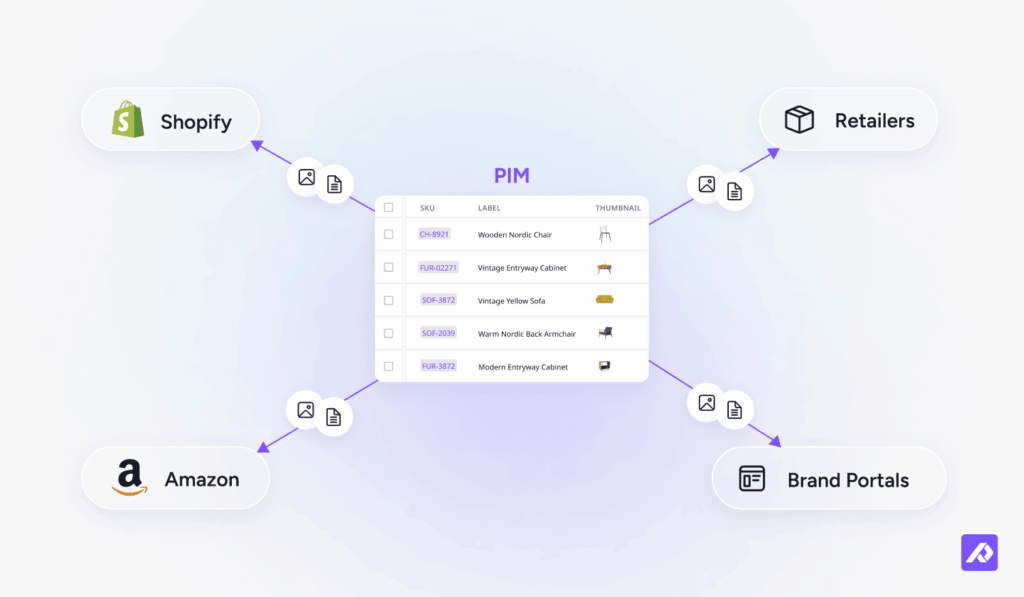
- Send everything to your channels. Send product information and assets to Shopify, Amazon, and retail partners, with each destination getting the format it needs.
- Update once. Update a specification or replace an image, and the changes flow to connected channels at the next scheduled or on-demand sync.
Get these six right, and your team spends less time matching files to products and more time getting products to market.
How to connect PIM and DAM: one platform or two tools
You've got two options: one platform with PIM and DAM built in, or connect two separate tools with a pre-built connector, API, or middleware. The sections below cover both.
One platform: unified PIM and DAM software
One platform keeps product records and files in the same place, so linking them is part of the setup, not a project on its own.
Some PIM platforms (like Plytix) come with built-in DAM capabilities. Others started as DAM solutions and have expanded into product information management.
Why it works well for most ecommerce teams:
- One login and a single source of truth for product records and files.
- A single view of whether product information and assets are ready for launch.
- Less integration work. Asset management is part of platform onboarding rather than a separate project.
Where it has limits:
Moving to one platform means moving your files too. If your creative team already works in a standalone DAM, that's a migration and a change in how they work. In that case, connecting the DAM you have may be less disruptive.
What a PIM with a built-in DAM looks like in Plytix
Plytix DAM is built into the Plytix platform, so teams manage product assets in the same place as their product information. Files in the asset library can link to one or more products.
If a file name contains a SKU, GTIN, or Shopify product handle, Plytix can link assets to products in bulk, up to 1,000 assets at a time.
Teams can resize, rename, and prepare images for different sales channels. Plytix AI can also help with tasks like background removal and upscaling. That way, your product listings have fully optimized information and assets for wherever you sell. And you don't need to go jumping between software to do so.
Connecting a separate PIM and DAM
Already have a DAM your creative team relies on? You don't have to replace it when you add a PIM.
The right pick depends on the tools you already have and who'll look after the connection:
| Method | How it works | Best for | What to watch for |
|---|---|---|---|
| Pre-built connector | A ready-made integration between two specific tools. | Tools that already appear on each other's integration marketplace. | Often built by a partner, not the vendor, and may only come with certain plans or editions. |
| Custom API integration | Developers connect the two systems directly through their APIs (the way one piece of software talks to another), either in-house or with an integration partner. | Teams that need custom rules, or when no pre-built connector exists. | Your team owns the build and ongoing maintenance. |
| Middleware (iPaaS) | A tool like Make moves information and files between systems. iPaaS stands for integration platform as a service. | Teams that want to connect systems without much coding, or need to connect several. | Adds another subscription, connection to monitor, and potential point of failure. |
You'll also need to decide where the master file lives. Some integrations copy files into the PIM, while others keep them in the DAM and store links in the PIM. Either works, as long as everyone knows which system holds it.
In practice, say you keep your DAM and use Plytix as your PIM. The two connect through the Plytix API or middleware such as Make, rather than through a pre-built connector. Files arrive through that connection or Plytix's asset importer, and your team links them to products in Plytix. For example, you can automate asset intake with Make: new images in a Google Drive or Dropbox folder go into Plytix DAM and attach to the matching SKU.
What should you agree on before connecting PIM and DAM?
Before connecting PIM and DAM, agree on four rules: how often products sync, how variants map to images, what happens when a file is replaced or archived, and which system wins when information changes in both places.
Analyst firm Real Story Group notes that teams often underestimate the business rules behind a PIM DAM integration.
Turn them into questions your team answers before anyone builds:
- How often should new products sync?
- How should product variants map to images?
- What happens when someone replaces or archives a file?
- Which system takes priority if information changes in both places?
It's much easier to get them right upfront than to untangle a messy integration later.
One platform or two connected tools?
For most ecommerce teams, one platform is the better fit because there's one system to learn and no separate integration to maintain. Connecting two tools makes more sense when you've already invested in a DAM your creative team relies on.
| What to compare | One platform | Two connected tools |
|---|---|---|
| What you already run | You're starting fresh or moving away from spreadsheets and shared drives. | You already have a DAM that works for your team. |
| Files and migration | Files move into one asset library during onboarding. | Files stay in your DAM or get imported, and the connection links them to products. |
| Tools and logins | One. | Two, plus middleware if needed. |
| Setup effort | Usually part of platform onboarding. | A separate project involving connector setup, API development, or middleware and mapping rules. |
| Where the product record lives | One system holds product data and file links. | The PIM holds product records, the DAM holds the files, and the connection keeps them in sync. |
| Typical costs | Usually one subscription. | Usually two subscriptions, plus any connector, partner, middleware, and maintenance costs. |
Middleware pricing varies. Make, for example, has a free plan, with paid plans as your usage grows.
And don't forget the people behind the integration. Development, monitoring, troubleshooting, and maintenance all take time, too.
Benefits of connecting PIM and DAM
When product information and assets are properly connected, you get fewer mismatched listings, faster launches, and less manual work.
A connected setup helps your team in five ways:
- Fewer mismatches between product data and images. Every product links to its approved files. No more blue shoes with red shoe photos. Accurate product information and images also help shoppers know exactly what they’re buying, which cuts down on one of the common reasons shoppers return orders.
- Faster product launches. Plytix’s 2026 Commerce Benchmarks estimate it takes 30-150 hours to enrich, format, and publish 100 new SKUs to every channel, depending on industry and catalog size. When files are already linked to products, there’s less to sort out before each launch.
- Channel-ready images from one master file. Start with one high-resolution image and resize or reformat it for Amazon, Shopify, and retail partners. No separate copy for every channel.
- Less manual work as your catalog grows. File links stay with product records, so teams can update information and assets without manually matching everything again.
- Compliance documents in one place. Rules like the EU Digital Product Passport will require product details and compliance documents to be available digitally. A connected setup can help teams organize and retrieve that information, though it won’t make you compliant on its own.
Alltrade Tools shows what that looks like in practice.
A real example of PIM and DAM working together
Alltrade Tools cut the time to prepare a retail submission from one month to just 20 minutes by bringing its product data and assets together in Plytix.
Alltrade Tools designs and manufactures automotive, home, and garage tools. Its catalog includes nearly 5,000 SKUs, most of which it sells to other businesses. It also sells selected product lines directly to consumers through marketplaces and retailers such as Amazon and Costco.
Before using Plytix, product information was scattered across files and folders. Finding the right image in the right resolution meant digging through them all.
One of Leah Hall's first ecommerce projects as Content Manager was preparing 800 SKUs for retail partner Summit Racing. The job took a full month.
After linking product data and files at the SKU level in Plytix, the same submission took just 20 minutes.
"It used to take a full month to find and share product information with our retail partners. Now it takes me 20 minutes."
—Leah Hall, Content Manager and Digital Marketer, Alltrade Tools
Read the full Alltrade Tools story.
How to choose PIM DAM software
Results like Alltrade's depend on choosing the right PIM DAM software. Any setup comes down to three things: how assets link to products, how content reaches your channels, and how much upkeep it needs.
Start with these six checks:
- Does linking happen at the product level? Each product should link to its own approved assets, not just a shared folder.
- Can you link files in bulk? Matching files to products one by one doesn’t scale. Look for bulk linking, such as matching SKUs in file names.
- Can it flag products that are missing files? Your team should be able to spot products that aren’t ready to launch because an image or document is missing.
- Do product data and files reach channels together? If someone still has to manually match images to listings before they go live, you’ve simply moved the work somewhere else.
- Will your team actually use it? A tool nobody opens doesn’t solve anything. Have the people who’ll use it every day test it before you commit.
- What’s the total cost of ownership? Look beyond the subscription price. Factor in setup, connector or middleware fees, partner costs, and the time your team spends maintaining the integration.
If you're choosing the PIM too, here are eight features to look for in a PIM for ecommerce.
Questions to ask PIM DAM vendors
Don't settle for a general promise. Get into the details.
Ask vendors how files link to products, how syncing works, and what the connection costs. Beyond that, it depends on your setup:
If you're looking at one platform:
- How are files linked to products: one by one, in bulk by file name, or with rules?
- Can one file link to several products, and does an update reach every product that uses it?
- Can you resize or reformat images for each channel without keeping separate copies?
- How long does implementation take, and who does the setup work?
If you're connecting two tools:
- Do you have a pre-built connector for the tools we already use? Who built it, and who maintains it?
- Does it sync both ways, or only from the DAM to the PIM?
- Do files stay in the DAM, or are they copied into the PIM?
- How often does it sync, and what happens when a sync fails?
- Is the connection included in our subscription, or does it cost extra?
Getting product data and files working together
PIM DAM integration comes down to one thing: every product linked to its approved files, so the right content reaches every channel without anyone matching it by hand.
For most ecommerce teams, the simplest way to get there is one platform with PIM and DAM built in. If your creative team already relies on a DAM, keep it and connect it with a pre-built connector, API, or middleware like Make. Just agree on the rules before you build.
PIM and DAM in one place. You don't even have to integrate.
Frequently Asked Questions
PIM DAM connectors are ready-made integrations that link a specific PIM to a specific DAM, so product records and files stay in sync without custom code. They’re often built by integration partners and may only come with certain plans. If no connector exists, teams use an API or middleware like Make.
Yes. You can connect your existing DAM to a PIM through a pre-built connector, if one exists for your tools, an API, or middleware like Make.
Depending on the integration, your files can stay in the DAM or be imported into the PIM. Either way, the systems need clear rules for linking files to products and syncing updates.
It depends on your setup. With one platform, asset linking happens during onboarding, and Plytix covers it in the first 30 days. Connecting two separate tools takes longer, since you need to build the integration, agree on mapping rules, and test the sync.
Yes. A PIM can send product information and linked assets to Shopify, including titles, prices, variants, and images. Plytix also offers a Shopify app to keep product listings in sync.
Yes. A PIM DAM setup lets you link one image or file to multiple products.
For example, a lifestyle image or shared spec sheet can be stored once and linked to every relevant product. Update the file, and all linked products can access the latest version.